
Unknown's avatar

About John "Pathfinder" Lester

Cypherpunk Capitalist | Crypto | InfoSec | NFT Communities | Metaverse | Culture | Fashion | Art | Identity

How I Learned to Stop Worrying and Love the Unity Asset Store

It’s important for people to identify their own talents and cultivate them whenever possible.

And likewise, it’s important for people to realize where they lack talent.

Personally, I’m terrible at 3d content creation.

I’ve tried very hard to learn various 3d modeling programs in the past, and I continue to push myself at doing my best to use them.  But I’ve pretty much accepted the fact that, aside from being able to whip up the basics, I definitely lack the artistic talent and technical prowess to create beautifully detailed 3d models from scratch.  I’ll always be a hack.

But that’s OK.  I’ve stopped worrying about it.

Because the trick is to accept one’s limitations while finding ways to work around them.

My Best Friend in Jibe: The Unity3d Asset Store

I’ve recently been learning how to use Unity3d to create my own multiuser virtual world on the web with Jibe.  And I just started using the Unity Asset Store.

The Unity Asset Store is a place to buy things you can import and use in your own Unity3d projects.  Anyone can submit items to be sold, too.

Pretty neat, right?  Well, it gets much more interesting.

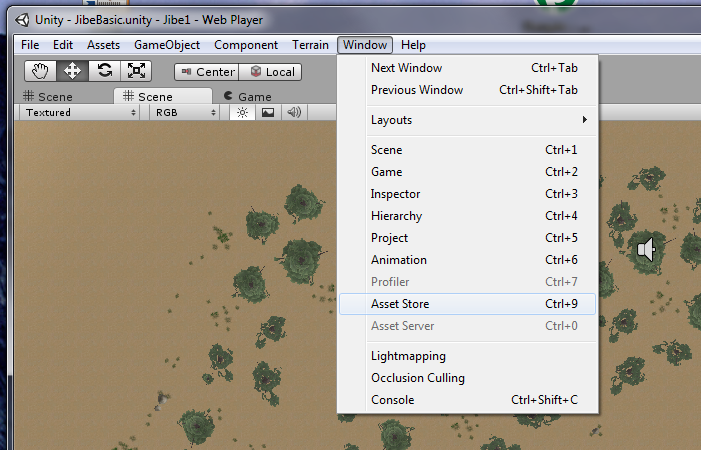
The clever folks at Unity decided to integrate the Asset Store with the Unity editor.
Hello, my friend!

So while you’re busily working on your world in the editor, you can simply pull up the Asset Store from the menu, search for something, buy it, and have it immediately dropped into your project file.  And if you lose or break something you previously bought, have no fear.  The Asset Store remembers that you bought it and can send it to you again whenever you like.

Of course, anyone can find 3d models for sale or freely available on many different websites.  I do that all the time, and it works great.  But it can sometimes get complicated depending on different import settings and optimizations.  With the Unity Asset Store, I’m guaranteed everything will work in Unity3d.  And the store is right there for me to access while I’m actively building my world, at the precise moment I need new content.

“Hmm.  I need wildlife in my Jibe world.  Like rabbits.”

“Oh look, there’s one in the Asset Store.”

“Done.”

I get excited about technology.  But I get even more excited when I find tools that have a very positive philosophy behind them.  The Unity Asset Store is a great example of how the folks at Unity are thinking very carefully about how to best empower people who want to create engaging 3d experiences.  Connect, integrate, and build communities where everyone can best leverage their unique talents.  That’s a great philosophy in my book.

Jibe + Unity3d = Sharing your World

At ReactionGrid, we like to think we too have a very positive philosophy.  We give people the tools to create and then share their virtual worlds with others.  Being able to easily publish your vision on the web is pretty amazing, and I’m having a great time putting myself in our customers’ shoes.  Learning by doing.

Visit my Jibe world and see if you can find my fully rigged and animated mesh models of rabbits, courtesy of the Unity Asset Store.  I’ll be using them and other animal models to tell a little story over time for folks exploring my Jibe world.
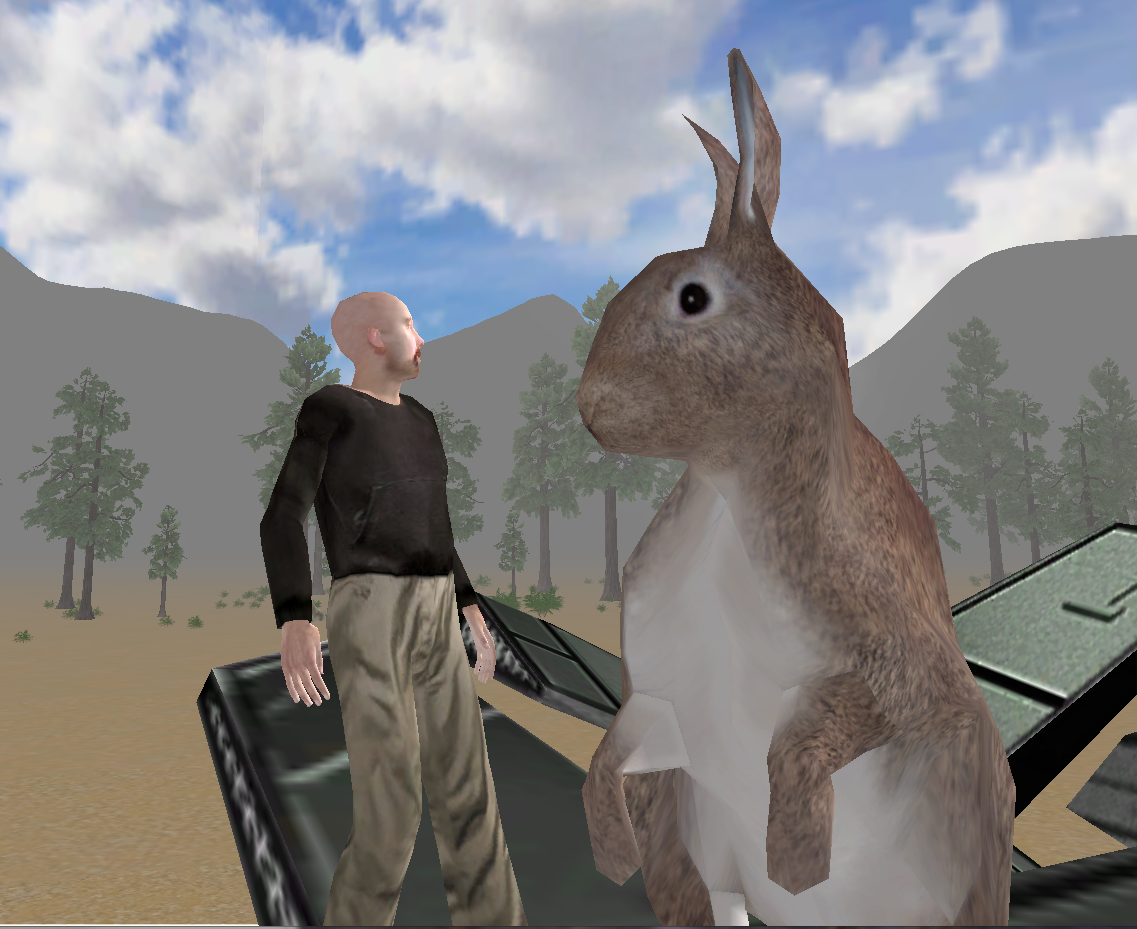
Creating fun and immersive learning experiences through storytelling is something I can do pretty well.  Thankfully, I don’t need to be a 3d model expert to create engaging  experiences in Jibe.

And guess what?  Neither do you.

Join our Jibe and Unity3d Discussion Group and learn how easy it is to get started!

New Group to discuss Virtual Worlds on the Web using Unity3d and Jibe

I’ve just started a new Google Group for folks interested in creating virtual worlds on the web using Jibe and Unity3d.   You can join it here.

Unity3d is a very popular professional game development platform for creating 3d environments.  Jibe is a platform that we’ve developed at ReactionGrid to allow anyone to deploy multiuser virtual worlds on the web that are built with Unity3d.

Unity3d and Jibe have some really cool affordances for developing immersive and interactive projects, particularly for educators.  The worlds are accessible from a web browser, voice and text chat are both available, all content is based on industry-standard mesh models, and you can write scripts in C# and JavaScript.  There are also ways to integrate a Jibe world with web-based CMS /LMS systems, and future versions of Jibe will also support deployment on things like iPads and other mobile platforms.

I’m not a professional 3d content creator, and I can barely script my way out of a paper bag.  But I’ve managed to create my own Jibe world online.  Learning Jibe and Unity3d is not insanely hard.  Anyone can do it, really.

Which is precisely why I’ve started the Jibe and Unity3d Google Group.  I’ll be posting my own experiences to the group and sharing resources that I’ve found very useful.  Bring your questions and creative ideas.  Let’s build a supportive and helpful community together!

And if you’d like to listen to a presentation I recently gave at VWBPE on the educational affordances of web-based virtual worlds, Jibe and Unity3d, please take a look at this video:

Augmented Cities and Dreaming Wisely

Technology has amazing potential to help us be more human.  And with virtual worlds, we have the ability to shape our embodiment and create environments that convey a great deal of emotional bandwidth.  There are many challenges in building such worlds, and we need to view these new spaces with a fresh perspective.  But I believe the unique affordances of virtual worlds will make all of our work worth it in the end.

In the future, I see the meeting of augmented reality and virtual worlds as a key intersection.  Once we have the ability to view the world around us through “augmented reality glasses” that combine the physical and virtual in our daily lives, things will get really interesting.

And I have no doubt that such technology will eventually arrive.  It’s just a matter of time.

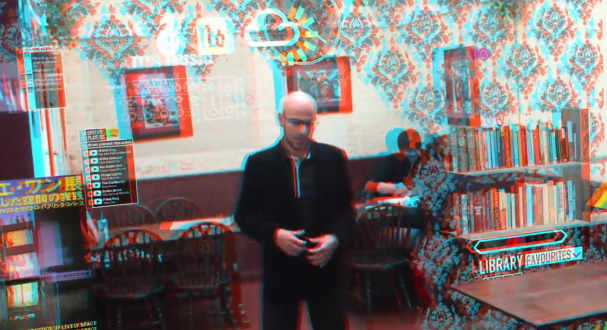
For a mind-blowing vision of what this future may look like, check out this video called “Augmented City.”

This brilliant video was created by Keiichi Matsuda, a designer and filmmaker who studies the implications of emerging technologies on human perception and the physical environment.  Notice how the guy in the video can shape his environment, combining virtual architecture with the physical world around him.  I love the use of the yellow hashmark lines as a visual cue for “don’t try to walk here!”  A very clever way to safely indicate borders between physical spaces and the virtual.

If you’re wondering why the video looks a little funny, that’s because it was filmed to be viewed in 3d using red/blue anaglyph glasses.  You can pick up a nice pair of them for about 5 bucks on Amazon.

Now, imagine someday being able to go to Amazon and buy a similarly cheap pair of “augmented reality glasses.”  We’re probably about 20 years away from that day, but it will happen.  The first handheld cellphone cost $3,995.  Today, you can get one that fits in your pocket for $7.

Many of us (myself included) are working on the development of virtual worlds, both the underlying technology as well as figuring out innovative ways to use them.  I think the trick for all of us working with virtual worlds right now is to not only focus on building out the technology, but to also carefully think through how they might be integrated into our daily lives.  We still have many lessons to learn on how we can best use them to improve the world and augment our ability to deeply connect with other people.

The lessons we learn today will shape tomorrow.  So we must dream wisely.

What have you learned in your work with virtual worlds?  What are your dreams of the future?

My Office Hour in your Browser

Welcome to Jibe!

We’ve been working very hard at ReactionGrid on our virtual world platform called Jibe.

Jibe is a great way to give people access to virtual worlds through a web browser, and future versions will support mobile devices and even game consoles.  You use the Unity3D editor to create environments in Jibe, and I’ve been having a lot of fun learning how to use it as well as finding cool places to get reusable 3D mesh content.

I now have my own Jibe-based virtual world online and accessible by anyone who wants to visit.  So I’m officially expanding my weekly Office Hours to include a couple new meetings each week that I’ll be hosting in my Jibe world.  See my Office Hours webpage for all the updated details.

You can visit my Jibe world even if I’m not around.  Just open it in your web browser and have fun exploring.  I’m still building it out, so please mind the mess.  I plan to add some fun games and hidden secrets in the future.  Hope to see you there!

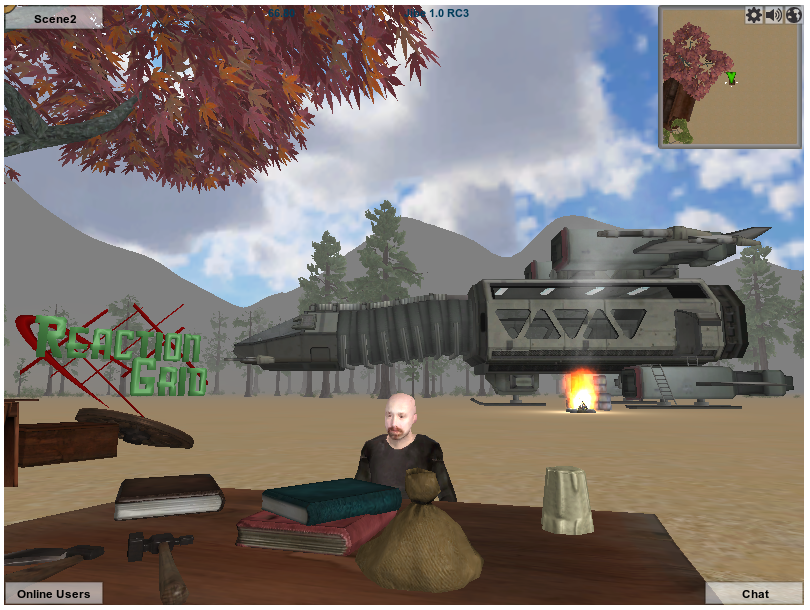
Sitting at my workbench in Jibe. And yes, having a fire that close to my spaceship is probably a bad idea.

Special Hypergrid Adventurers Club Meeting – March 13: Exploring Hypergrid 1.5

The Hypergrid Adventurers Club has its home on the region Pathlandia on jokaydiaGRID.  That’s where we start all our meetings, and where we begin our jumps to other grids on the Hypergrid.

Our challenge right now is the fact that the Hypergrid is currently fragmented into three different protocol versions (HG 1.0, HG 1.5 i6 and HG 1.5 i7).  If you are on a grid running one of these versions of the Hypergrid protocol, you can make hypergrid jumps to other grids running the same version.  But you cannot jump between grids running different versions.

All of the grids hosted by ReactionGrid (which includes jokaydiaGRID) are currently running HG 1.0.  We’re pretty conservative about upgrading things at ReactionGrid, since the majority of our customers are educators and businesses who value stability above all else.  While many people are successfully running grids using the newer HG 1.5 i6 and HG 1.5 i7 versions, we’ve found in the past that serious bugs often only become apparent when running larger grids.  So we’re still waiting for the dust to settle before we upgrade things at ReactionGrid and the 100+ grids that we host for other people.

But in the meantime, there’s a lot of cool stuff on HG 1.5 grids that we want to explore with the Hypergrid Adventurers Club!  Fortunately, our club has pioneering members who have set up outposts on the network of HG 1.5 i6 grids.  So for our March 13 meeting, we’re going to explore two of those outposts.

What you need to do to explore HG 1.5 i6 with us on March 13

Our two meetings on Sunday, March 13 (5pm+10pm GMT) will begin on the region HyperBase42 on NeoGrid.  NeoGrid has been set up by Neo Cortex, and he is designing it as a convenient place for hypergrid explorers to begin their exploration of HG 1.5 i6 compatible grids.

If you already have an account on a HG 1.5 i6 based grid, you can reach our meeting on NeoGrid by logging in to that account and hypergrid jumping to this address: hbase42.hopto.org:8002:Hyperbase42

If you don’t have an account on a HG 1.5 i6 based grid, you can sign up for a new avatar account on Hyperbase42 by going to this account creation page.  Neo has to approve each account, so be sure to register your new account as soon as possible to it will be ready for Sunday’s meetings.

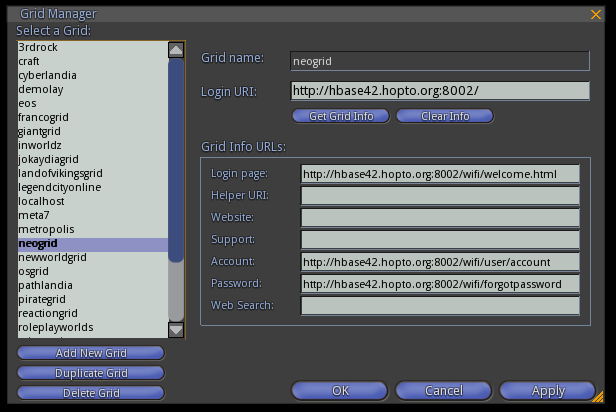
Once you’ve created an account on NeoGrid, you can log directly into it using the following settings in Imprudence’s Grid Manager tool:

For the first 30 minutes of our meeting, we’ll hang out on Hyperbase42 and get a tour of all the hard work that Neo Cortex has been putting in to the space.  Then our group will make a hypergrid jump to explore Vanish Seriath’s HG 1.5 i6 compatible TGIB grid.

The home base of the Hypergrid Adventurers Club will always be the region Pathlandia on jokaydiaGRID.  But until all the different versions of the hypergrid are sorted out, we’ll occasionally have more meetings like this in the future.  Stay tuned as we adventure into the wider constellation of interconnected worlds!

And if you have any questions or need help getting set up for this special meeting, please join our HGAC Google Group and ask away.  Lots of friendly people in that group (160+), and we’re always happy to help.

Jon Brouchoud’s Prefab Full Sims for Opensim

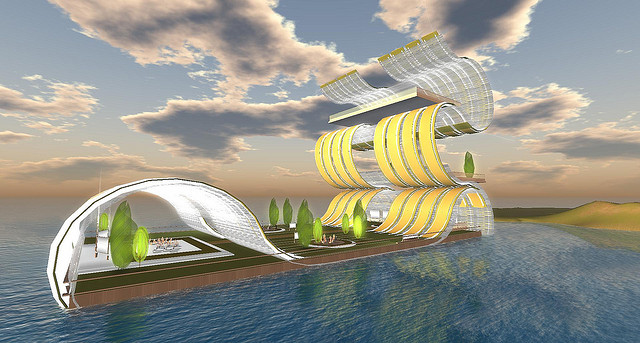
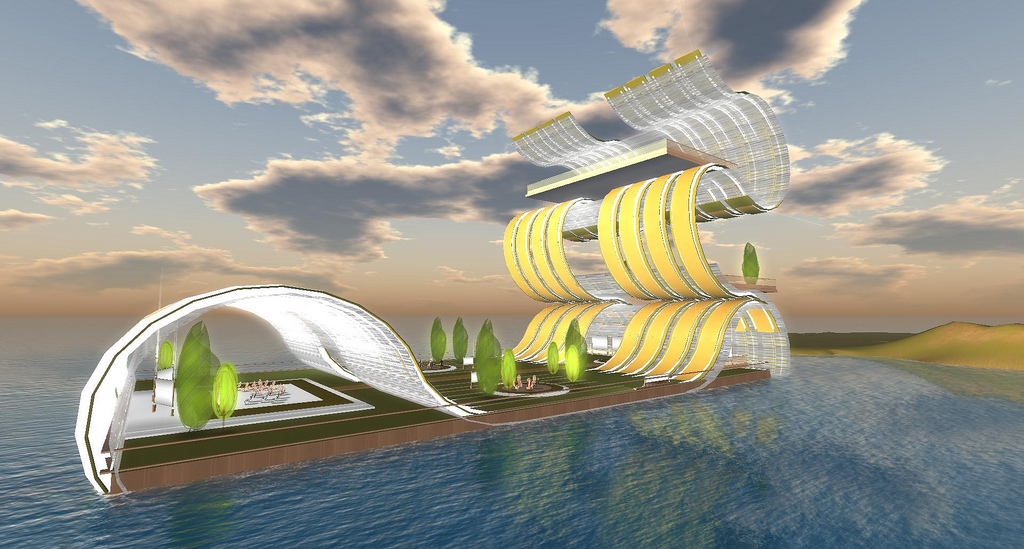
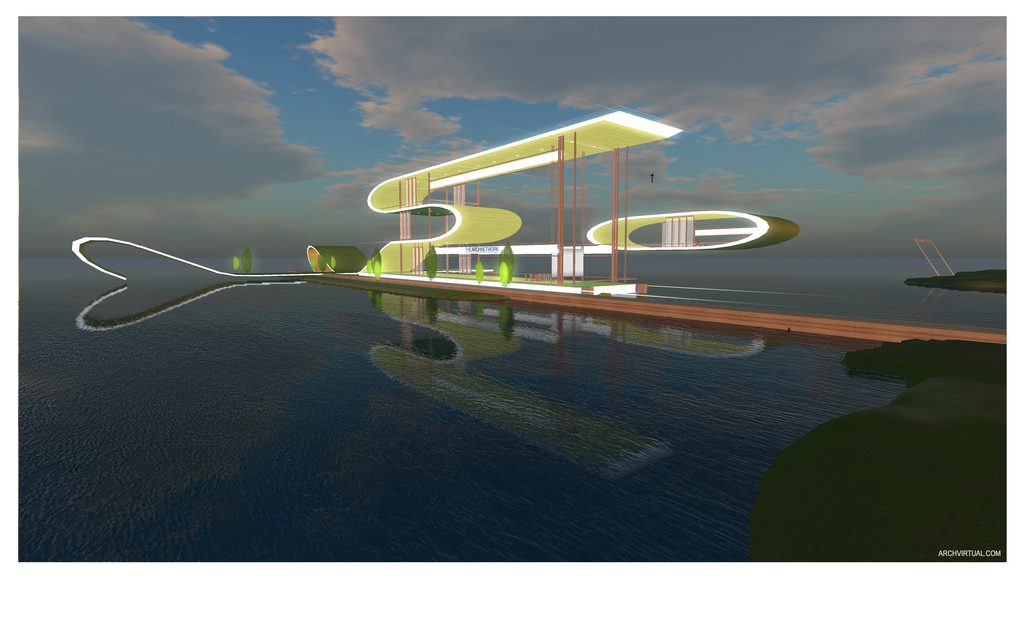
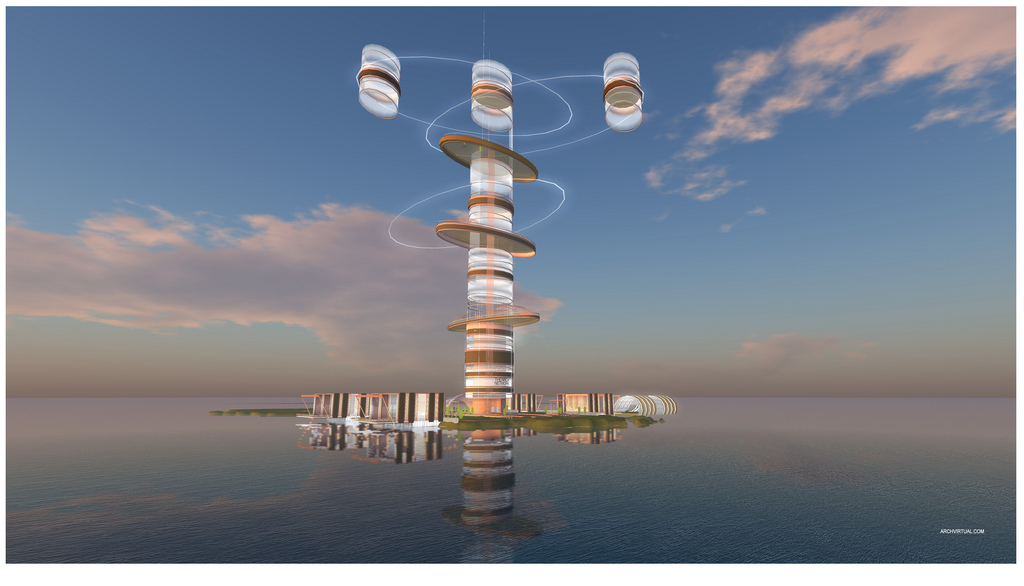
Jon Brouchoud is an insanely talented designer of 3d spaces.  His personal website has lots of information about his work, and Jon also runs a site all about Architecture and Design in Virtual Environments.

Here’s a blurb about Jon.

“As a freelance design consultant, Jon Brouchoud has created a variety of award winning designs, 3D experiences and serious game applications in Unity3D, Second Life and OpenSim.

Jon holds a Master’s Degree in Architecture from the School of Architecture and Urban Planning, University of Wisconsin, Milwaukee, and draws from his architectural background to create design concepts for a wide range of client types – including education, healthcare, government, advertising, and private enterprise.”

Jon recently announced that he is selling some of his prefab full sims for Opensim at the discounted price of $60 USD.  Each full sim package is delivered as an Opensim OAR file, and Jon accepts Paypal.

If you’re looking for prefab virtual spaces with a clean design and stunning looks, you really should check these out.  Here are some examples.

Avatars in the Boardroom – A Presentation at Tuck School of Business

I recently visited Tuck School of Business and gave a lecture on virtual worlds.

You can read all about it on the ReactionGrid blog.


On Leadership and Community: Wisdom from Lao-Tzu

Lately I’ve been thinking about leadership and communities.  And in particular, how the two are so delicately intertwined.

This beautiful passage from the Tao Te Ching has been on my mind a lot.

“Learn from the people

Plan with the people

Begin with what they have

Build on what they know

Of the best leaders

When the task is accomplished

The people will remark

We have done it ourselves.”

Authentic Animal Conversation #6: “Dibs”

“I can’t believe he’s actually doing it.”

“RICKY, GO FOR THE FLOWERS!  THE FLOWERS!”

“Shut up!  They’re going to hear us!”

“Just stay in the grass and be quiet, you morons.”

“I can’t see.  What’s he doing?  Did he make it to the table?

“This is insane.  I told you not to dare him.  This is stupid, stupid, stupid.”

“He’s a grown squirrel and can make his own decisions.”

“I THINK THE CAKE IS FULL OF NUTS!  DIG A HOLE IN IT, RICKY!”

“Oh for crying out loud, do you want to get him killed?”

“If Ricky doesn’t make it back, I call dibs on his nest.”

“Dibs!”

“Dibs! Dibs!”

“You guys suck, you know that?”

More Authentic Animal Conversations.

Authentic Animal Conversation #5: “A Cat of Action”

“This seems like a really bad idea.”

“I’m not listening.  Look at my face.  This is my ‘I’m not listening’ face.”

“I’m serious, Steve.  I have a really bad feeling about this.”

“You’d rather be sitting in the snow?  I swear, all you do is complain and–”

“But Steve, I just mean–”

“‘Boohoo, my paws are frozen!  I can’t feel my toes!  Steve, help me I’m so cold!’  Your exact words just 10 freaking minutes ago, Ralph.  Am I right?”

“I know, but–”

“And I dealt with the situation, didn’t I?  I found a solution, right?  I took action.”

“I know you did, Steve.  It’s just–”

“I am a cat of action.  What have you done today besides complaining?  Anything, Ralph?”

“OK.  It’s just, well…  You realize we’re sitting on a dog, right?”

“It’s called a ‘calculated risk.’  Look it up.”

“Like that time you decided we should try sitting on the sleeping wolverine last winter?  Was that a ‘calculated risk?’  Because I still have calculated bite marks on my you-know-where from that swell idea.”

“If you don’t shut up, I’m going to give you a calculated slap in the face.”

“Fine.”

More Authentic Animal Conversations.