The Riddle of the Sphinx: Using Google Warehouse models in Jibe and Unity3d

Google Warehouse is a fantastic resource for free 3d models.  And it’s especially fun to hunt for models of beautiful historical landmarks that you can pull into your own multiuser virtual world.

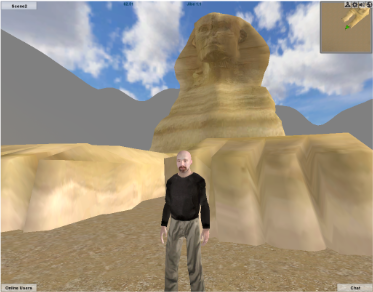
Today we’re going to bring a model of the Great Sphinx of Giza from Google Warehouse into a multiuser Jibe world using Unity3d.  And we’ll script the Sphinx so it asks a riddle when any avatar walks up to it.

Continue reading

Interactivity in Virtual Worlds: Using Triggers in Jibe and Unity3d

The physical world around us is responsive to our presence.

The same experience can be recreated in virtual worlds.

You just have to learn a few new tricks.

Those of us designing virtual worlds want to make them as engaging and interesting as possible.  There are many different ways to accomplish this goal.  You can start by creating a visually interesting space.  Make it beautiful to look at.  Fill it with things that move and look alive.  Encourage exploration by rewarding people with fun things to discover.  And never forget the power of sounds.

All of these methods will help you design a virtual space that is engaging to visitors.  But at some point you’ll realize that you want to build a world that is responsive to the people who are exploring it.

Looking and listening is fun.  Interactivity is even better.

Continue reading

Hypergrid Adventurers Club – Visiting a recreation of the astronomical observatory at Pic du Midi de Bigorre

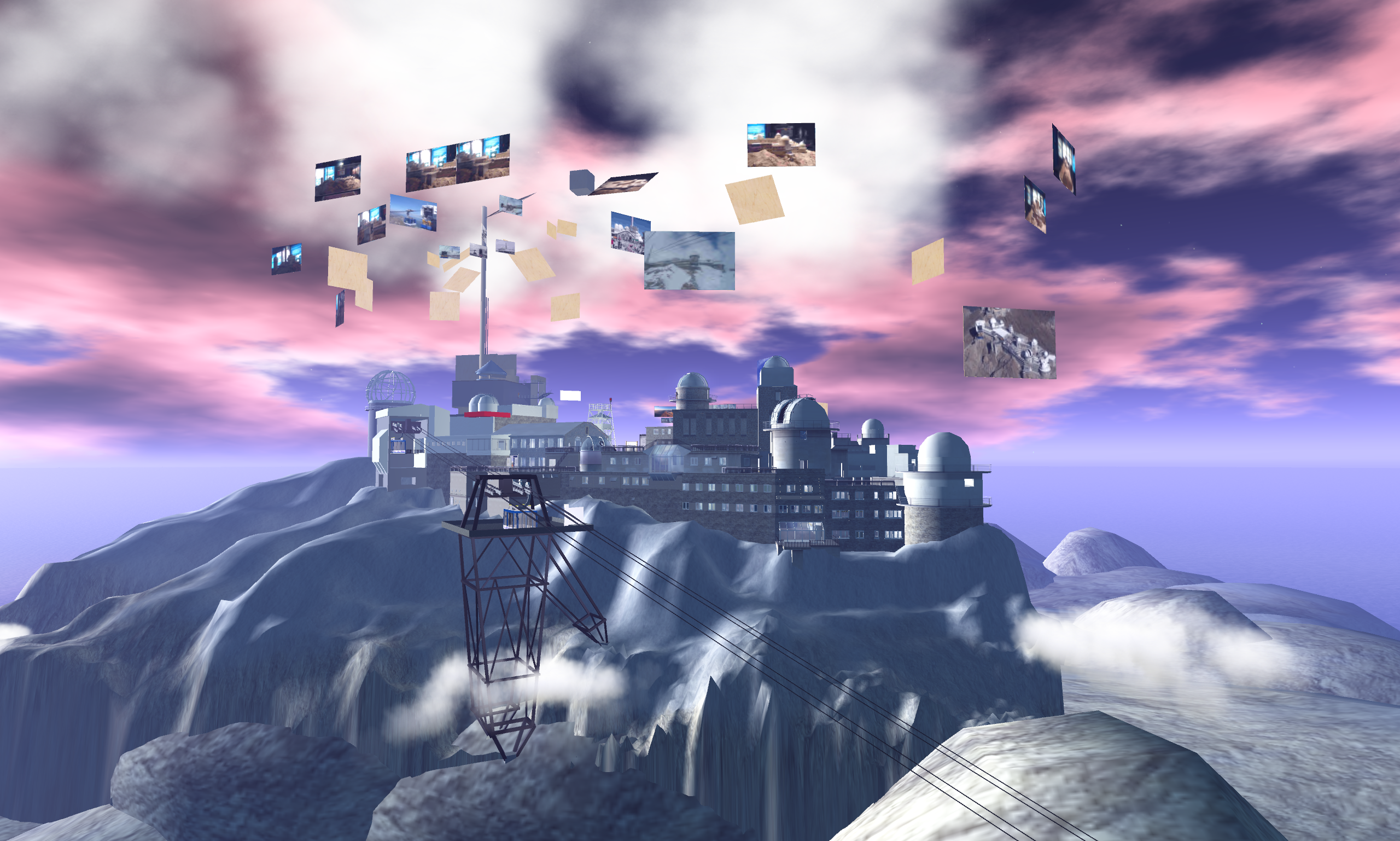
Our Hypergrid Adventurers Club visited a virtual recreation of Pic du Midi de Bigorre in NewWorldGrid this past Sunday.  Follow in our footsteps and check it out for yourself!

Pic du Midi de Biogorre is a mountain in the French Pyrenees famous for its astronomical observatory.

Aime Socrates (who has also built some amazing recreations of nuclear research facilities at CERN and physics education spaces) is building the mountain out as a learning space for students interested in astronomy.

Here are some photos from our journey.

Continue reading

Jibe 1.1: Test our new camera controls at my chicken testing facility.

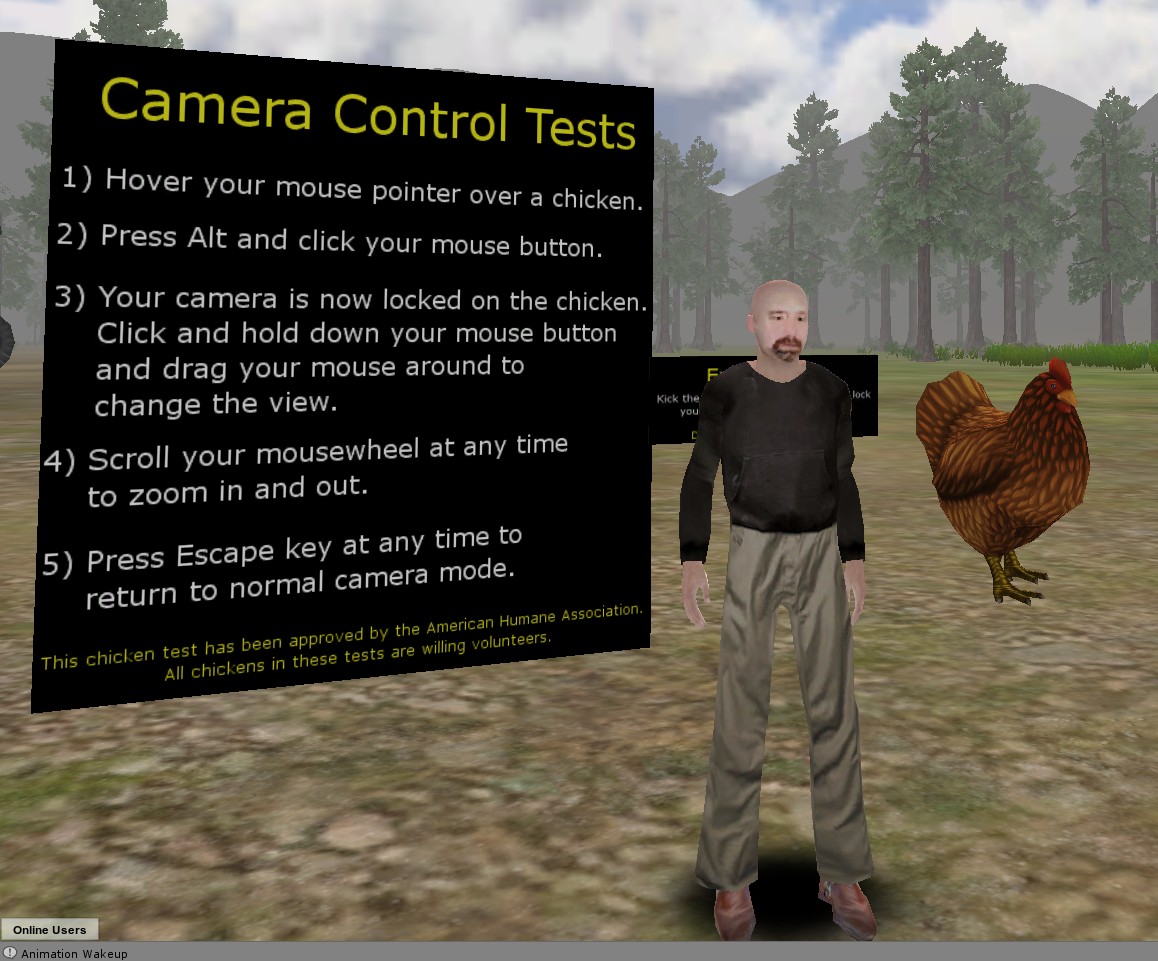
Jibe 1.1 is now being rolled out!  Here’s more info on what’s new.

We’re very excited about the update.  In addition to some other new features and lots of bugfixes, we’ve expanded how the camera works in Jibe.

To try out our new camera controls, just visit my Jibe world and look for the big sign and big chickens set up near the default landing area.

No chickens are being harmed in this test. I swear.

The chickens are all making chickeny sounds, and you’ll be able to hear them more clearly as you zoom your camera in on them (your “ears” are attached to your camera).

Please send us a ticket if you have any feedback or notice any bugs.  And for more info about camera controls, be sure to read this page on our wiki.

Thanks, and have fun!

-John “Pathfinder” Lester

Collaborating using web-based tools with Jibe: Animations and iTween

I recently wrote about some of the affordances of having a multiuser virtual world displayed in a webpage.  To illustrate this, here’s an example:

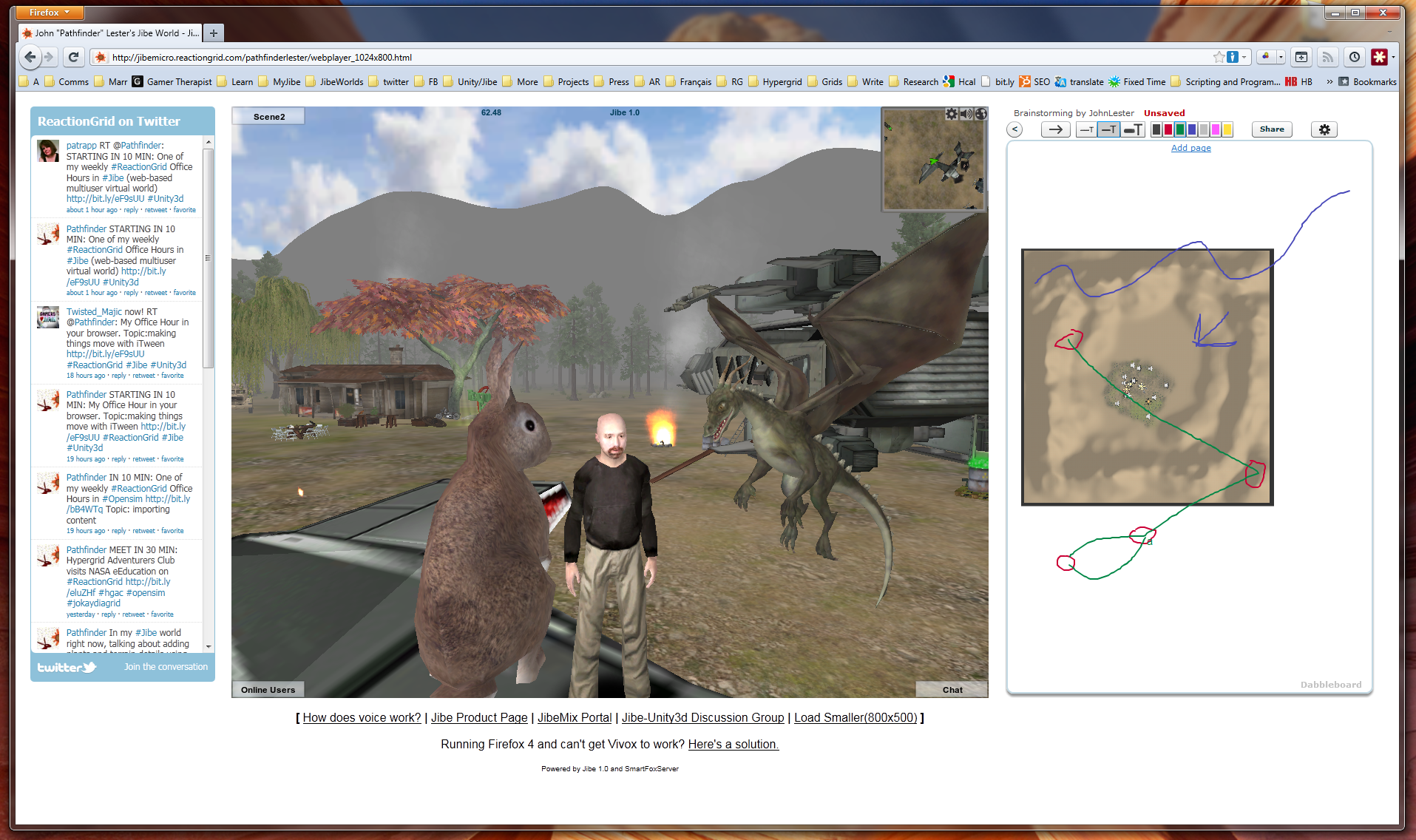
Left to Right: Twitter + Jibe + Dabbleboard

A multiuser Jibe world can be embedded in any webpage.  So what you see in the above screenshot is a webpage that has a Twitter widget on the left, my Jibe world in the middle, and a shared Dabbleboard on the right.  If you’re wondering how I did this, you can simply visit my Jibe page and take a peek at the HTML source.  Pretty simple stuff.

I’ve just started learning how to use a great tool called iTween.  It’s a powerful and easy to use animation system for Unity created by Bob Berkebile, and you can pick it up for free in the Unity Asset Store.  I’ve also been using another free Unity tool called the iTween Visual Editor, created by David Koontz.

These tools allow you to animate and move anything in the Unity editor, which can then be uploaded into a multiuser Jibe world. You create waypoints in the virtual environment and can see lines connecting each waypoint so you can easily visualize the exact path that an object will move along.

I’m a total newbie at all of this, so I love meeting people to discuss ideas and brainstorm.  Recently, I was in my Jibe world and wanted to show someone else my ideas for different pathways I was planning to lay out for my flying dragons.  We walked around my Jibe world together, checking out what I had already set up while talking on voice.

Then I had an idea.  I pulled up an aerial screenshot of my Jibe world’s terrain.  Dropped it into the Dabbleboard.  Drew some lines on it to show my plans for some new pathways.  The person I was meeting with then added some lines and waypoints of their own to the Dabbleboard to illustrate their own ideas.  You can see some of the results in the above screenshot.

Bingo.  Collaboration.

It was a great experience for me to be able to walk and talk with someone while we explored my Jibe world and simultaneously sketched out new ideas.  Really simple, and really powerful.  And a fun way to learn, too.

If you know of any other web-based tools that might integrate nicely on a webpage with Jibe, please let me know in the blog comments or join our conversations in our Jibe-Unity3d Google Group.  Thanks for sharing your ideas!

-John “Pathfinder” Lester

Hypergrid Adventurers Club – Visiting China Town in Francogrid

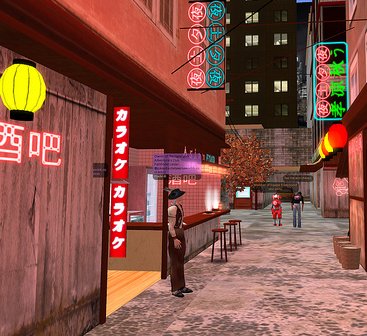
Our Hypergrid Adventurers Club visited a beautiful region called China Town in Francogrid this past Sunday.  Follow in our footsteps and check it out for yourself!

China Town is under construction and being built by Vinc Sonic, but he’s already done a fantastic job of creating a very atmospheric cityspace with lots of detail.

Here are some photos of our journey.

Continue reading

Encouraging Exploration in Virtual Worlds: The Subtle Power of Sound (and chickens)

One of the most beautiful qualities of virtual worlds is that they are perceptually immersive.

By simulating environments that mirror reality, virtual worlds can evoke in us a surprisingly strong sense of place and space.  We feel like we’re “really there.”

But one thing that is sometimes overlooked in the design of virtual worlds is the fact that we perceive the world not just visually but also through our sense of hearing.

The ambient sound of wind and bird chatter in a forest.  The subtle creak of a wooden floor as we walk across a room.  The cracking of a fire in the distance.

Ambient and contextually relevant sounds can make any virtual world a much more immersive place.  We often don’t notice them consciously.  But when such sounds are absent, we usually feel like something is missing.

My primary interest in virtual worlds is immersive education.  Teaching through storytelling that naturally unfolds as a person explores the world around them.  Encouraging people to discover new things by creating environments that engage them.  And a big part of creating any immersive learning experience is making sure that it is perceptually immersive in as many ways as possible.

Rewarding Explorers

I’m currently spending a lot of time learning how to create multiuser virtual worlds on the web using Jibe and Unity3d.  I’ve been building out my own Jibe world and testing different ways to make it more engaging.

In my experience, the best way to encourage exploration in a virtual world is to simply reward people for exploring it.

I’ve been doing this by placing a few interesting little scenes to discover in my virtual world.  Some of them you will just stumble upon as you walk around.  But others call attention to themselves in subtle ways.

Visual cues, especially movements, are very useful ways to indicate “hey, come over here and check this out!”  But never forget the additional power of sounds.

What was that?  Did you hear something over there?

You may notice that I’ve got a lot of animals in my Jibe world.  This isn’t just because I like animals.  I’ve placed animals everywhere simply because animals both move and make sounds.  And those characteristics in a virtual world make it feel more alive.

Worlds that feel alive are worlds people love to spend time in and explore.

How to add sounds in Jibe and Unity3d

In Jibe and Unity3d, you can embed sound files in any object in the world.  These sounds sources exist in 3d, which means they can be perceived the same way we perceive sounds in the physical world.  Sounds get louder the closer you get to them.  And you hear things spatially when using stereo speakers or headphones.

You can learn all the details of how sounds work in Unity3d by checking out the Unity3d manual entry on sound. But here’s a quick crash course on how to add a basic looping sound to a specific object.

Crash Course in Sound Design: The Chicken

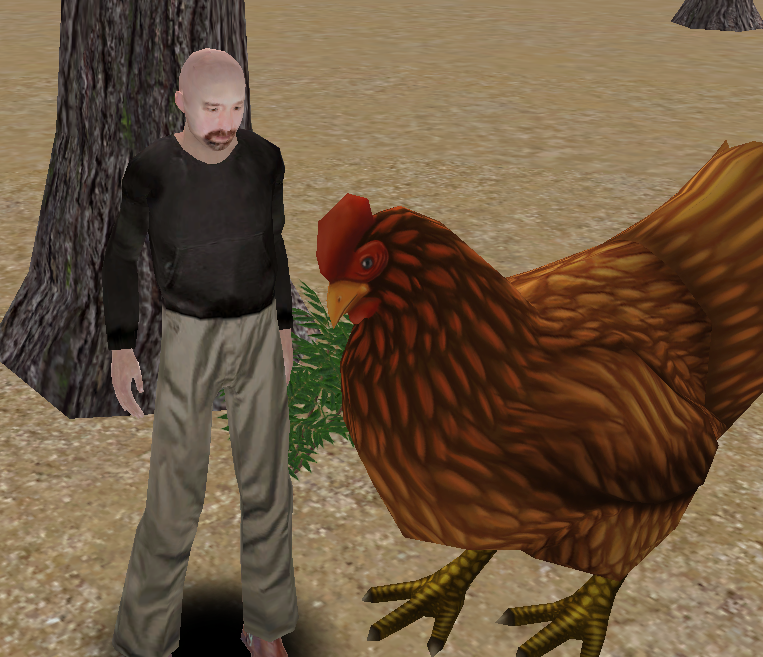
Chickens are awesome.  Visually, they move in very interesting ways.  And they make great sounds.  So I definitely wanted some chickens in my Jibe world.

1) Find a nice animated 3d model of a chicken.

I searched the Unity Asset Store but alas, no chickens.  However, I found a great animated chicken model for sale on the web.  I bought it, downloaded it, and placed it in my Jibe world using the Unity editor.
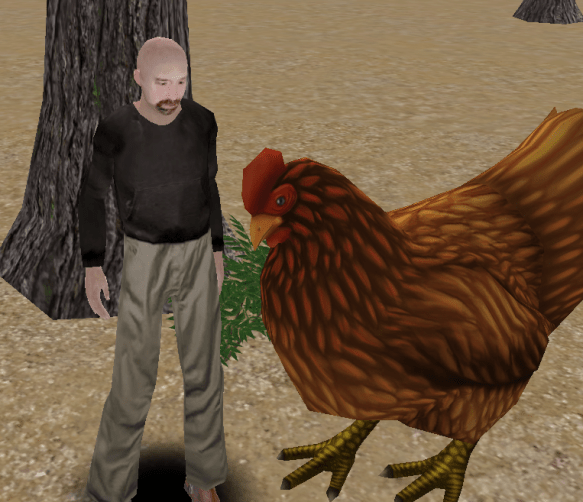
I made her super-sized because I wanted folks to easily see the model detail.  But my chicken lacked sounds.  Bummer.

2) Find a chicken sound.

If you’re looking for sounds that are free and Creative Commons licensed, I highly recommend checking out FreeSound.  I searched FreeSound for chicken sounds and found a nice WAV file of a chicken clucking.

Just one problem.  The sound file was too long and large.  Remember, when you are deploying a Jibe world, size matters.  The more you add to your world in the Unity editor, the slower your Jibe world will load on the web.  Remember this fact when you are adding sound files.  You’ll always want them to be as short and small as possible.

3) Edit the chicken sound.

I love Audacity.  It’s a free and open source program for recording and editing sound files.  So I opened up my chicken WAV file in Audacity and cut it down to a very short clip that looped nicely.  I also saved it in Ogg Vorbis format so it was compressed and as small as possible.

4) Get the chicken sound into my Jibe project file in Unity.

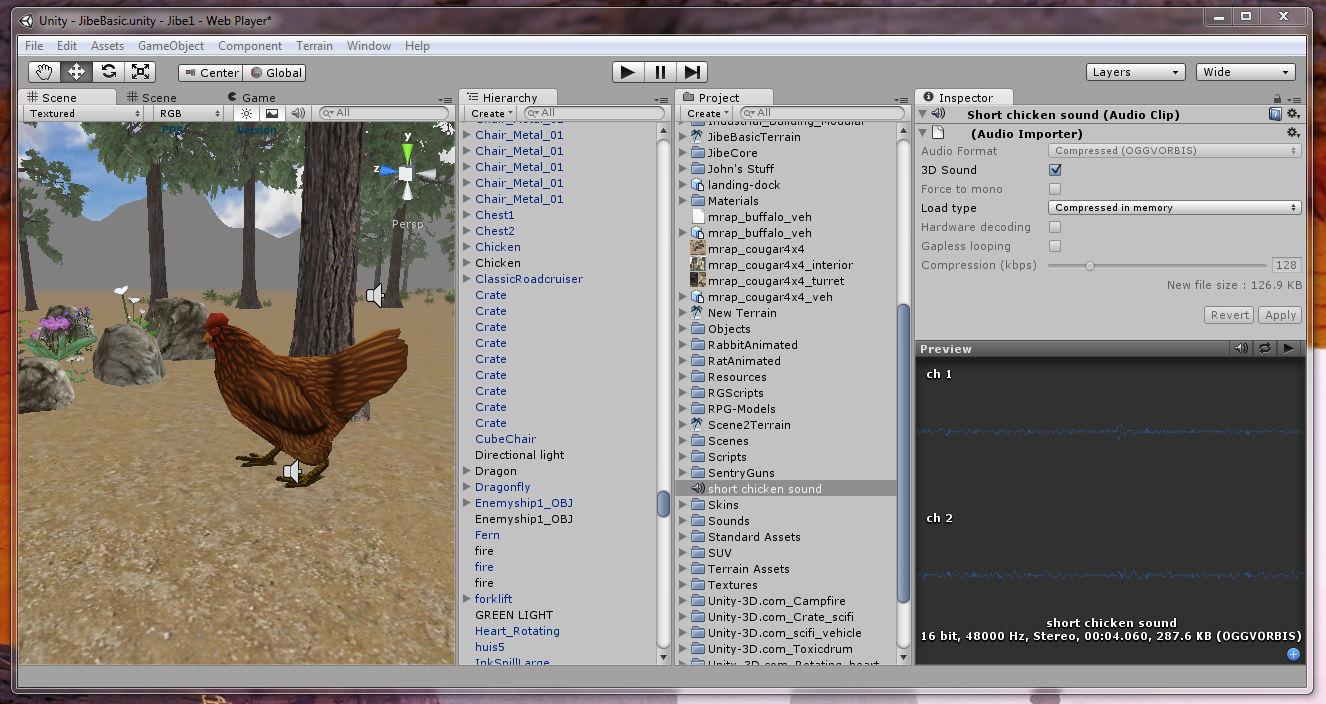
I opened up my Jibe project file in the Unity editor, went the Assets menu at the top of the screen, and chose Import New Asset.  Then I found my chicken sound on my hard drive and selected it.
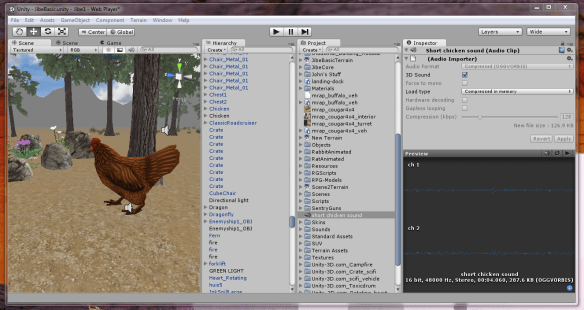
You can now see the short chicken sound file sitting in my Project folder, and the details of the sound file in the Inspector window.

5) Get the chicken sound into the chicken.

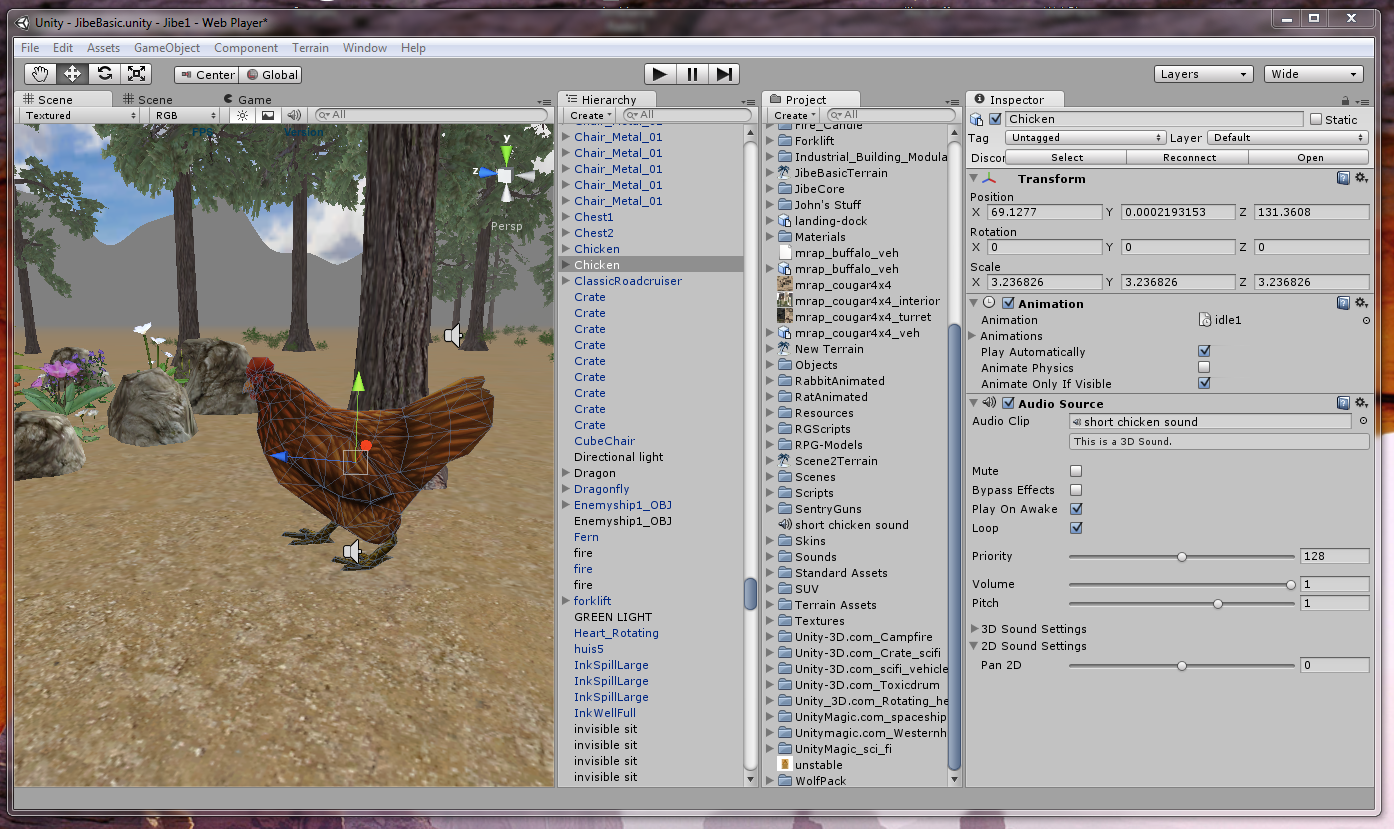
I dragged the short chicken sound file from the Project folder onto the chicken model in my Scene window.  Then I viewed the new details of the chicken model in the Inspector window.
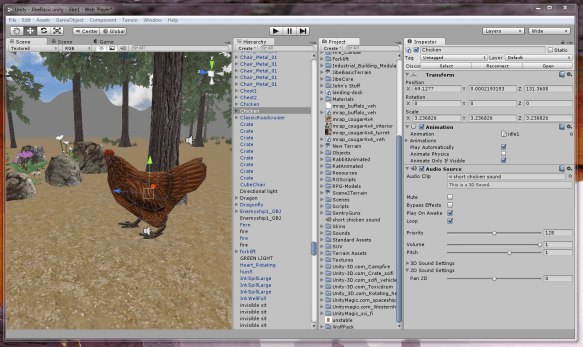
There’s the sound file in my chicken.  I turned on the loop function, and I was done.

6) Enjoy and learn more!

You can visit my chicken in my Jibe world on the web.  And if you’d like to join a community of people interested in creating virtual worlds using Jibe and Unity3d, please check out my Jibe and Unity3 Google Group.

If you are designing a virtual world, spend some time not only thinking about how it should look but also how it should sound.   Got a fire?  Make sure it has a nice crackling sound.  Building a train station?  Add ambient sounds of crowds and trains.  You’ll be giving your users a much richer experience.  And maybe you’ll learn some new tricks along the way.

-John “Pathfinder” Lester

How I Learned to Stop Worrying and Love the Unity Asset Store

It’s important for people to identify their own talents and cultivate them whenever possible.

And likewise, it’s important for people to realize where they lack talent.

Personally, I’m terrible at 3d content creation.

I’ve tried very hard to learn various 3d modeling programs in the past, and I continue to push myself at doing my best to use them.  But I’ve pretty much accepted the fact that, aside from being able to whip up the basics, I definitely lack the artistic talent and technical prowess to create beautifully detailed 3d models from scratch.  I’ll always be a hack.

But that’s OK.  I’ve stopped worrying about it.

Because the trick is to accept one’s limitations while finding ways to work around them.

My Best Friend in Jibe: The Unity3d Asset Store

I’ve recently been learning how to use Unity3d to create my own multiuser virtual world on the web with Jibe.  And I just started using the Unity Asset Store.

The Unity Asset Store is a place to buy things you can import and use in your own Unity3d projects.  Anyone can submit items to be sold, too.

Pretty neat, right?  Well, it gets much more interesting.

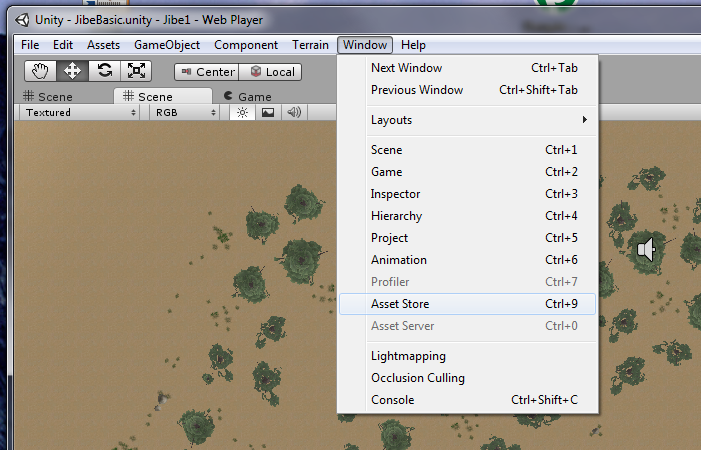
The clever folks at Unity decided to integrate the Asset Store with the Unity editor.

Hello, my friend!

So while you’re busily working on your world in the editor, you can simply pull up the Asset Store from the menu, search for something, buy it, and have it immediately dropped into your project file.  And if you lose or break something you previously bought, have no fear.  The Asset Store remembers that you bought it and can send it to you again whenever you like.

Of course, anyone can find 3d models for sale or freely available on many different websites.  I do that all the time, and it works great.  But it can sometimes get complicated depending on different import settings and optimizations.  With the Unity Asset Store, I’m guaranteed everything will work in Unity3d.  And the store is right there for me to access while I’m actively building my world, at the precise moment I need new content.

“Hmm.  I need wildlife in my Jibe world.  Like rabbits.”

“Oh look, there’s one in the Asset Store.”

“Done.”

I get excited about technology.  But I get even more excited when I find tools that have a very positive philosophy behind them.  The Unity Asset Store is a great example of how the folks at Unity are thinking very carefully about how to best empower people who want to create engaging 3d experiences.  Connect, integrate, and build communities where everyone can best leverage their unique talents.  That’s a great philosophy in my book.

Jibe + Unity3d = Sharing your World

At ReactionGrid, we like to think we too have a very positive philosophy.  We give people the tools to create and then share their virtual worlds with others.  Being able to easily publish your vision on the web is pretty amazing, and I’m having a great time putting myself in our customers’ shoes.  Learning by doing.

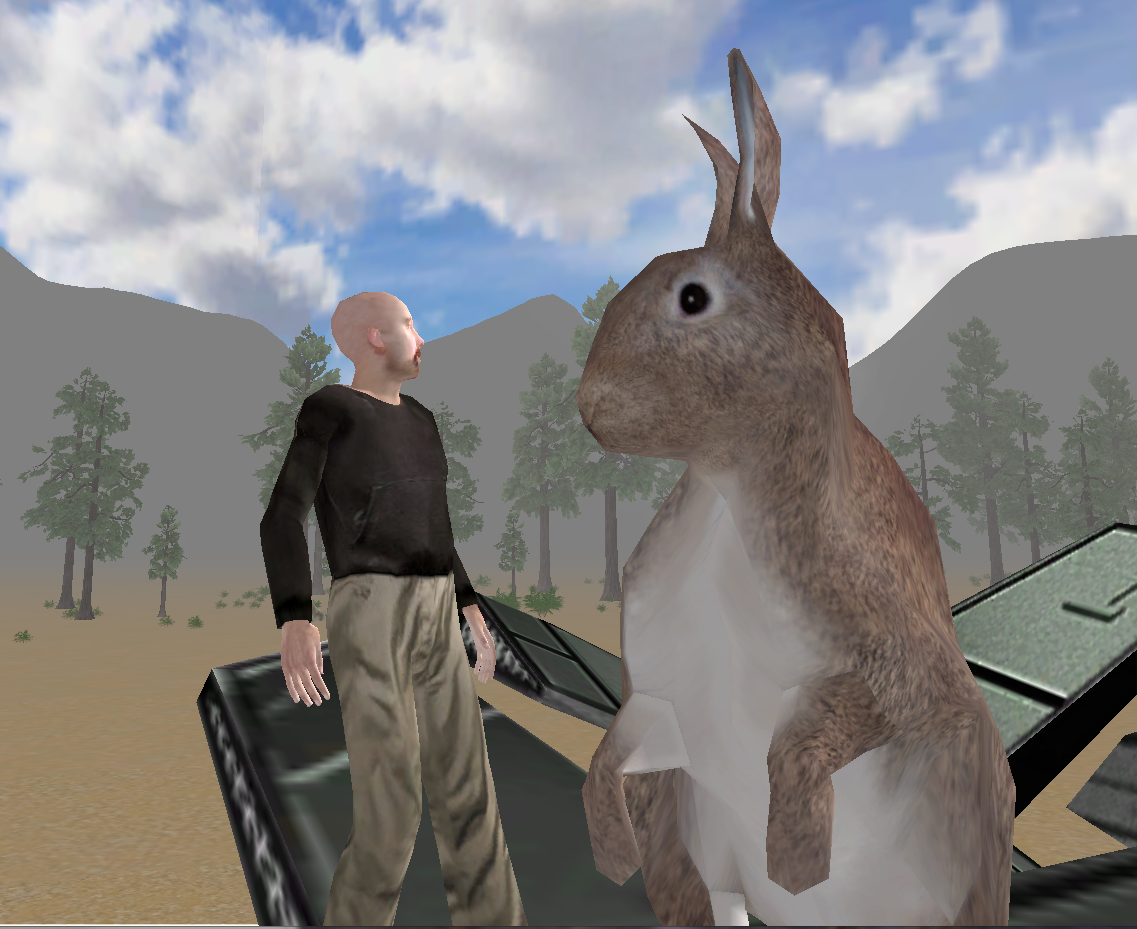
Visit my Jibe world and see if you can find my fully rigged and animated mesh models of rabbits, courtesy of the Unity Asset Store.  I’ll be using them and other animal models to tell a little story over time for folks exploring my Jibe world.

Creating fun and immersive learning experiences through storytelling is something I can do pretty well.  Thankfully, I don’t need to be a 3d model expert to create engaging  experiences in Jibe.

And guess what?  Neither do you.

Join our Jibe and Unity3d Discussion Group and learn how easy it is to get started!

New Group to discuss Virtual Worlds on the Web using Unity3d and Jibe

I’ve just started a new Google Group for folks interested in creating virtual worlds on the web using Jibe and Unity3d.   You can join it here.

Unity3d is a very popular professional game development platform for creating 3d environments.  Jibe is a platform that we’ve developed at ReactionGrid to allow anyone to deploy multiuser virtual worlds on the web that are built with Unity3d.

Unity3d and Jibe have some really cool affordances for developing immersive and interactive projects, particularly for educators.  The worlds are accessible from a web browser, voice and text chat are both available, all content is based on industry-standard mesh models, and you can write scripts in C# and JavaScript.  There are also ways to integrate a Jibe world with web-based CMS /LMS systems, and future versions of Jibe will also support deployment on things like iPads and other mobile platforms.

I’m not a professional 3d content creator, and I can barely script my way out of a paper bag.  But I’ve managed to create my own Jibe world online.  Learning Jibe and Unity3d is not insanely hard.  Anyone can do it, really.

Which is precisely why I’ve started the Jibe and Unity3d Google Group.  I’ll be posting my own experiences to the group and sharing resources that I’ve found very useful.  Bring your questions and creative ideas.  Let’s build a supportive and helpful community together!

And if you’d like to listen to a presentation I recently gave at VWBPE on the educational affordances of web-based virtual worlds, Jibe and Unity3d, please take a look at this video:

Augmented Cities and Dreaming Wisely

Technology has amazing potential to help us be more human.  And with virtual worlds, we have the ability to shape our embodiment and create environments that convey a great deal of emotional bandwidth.  There are many challenges in building such worlds, and we need to view these new spaces with a fresh perspective.  But I believe the unique affordances of virtual worlds will make all of our work worth it in the end.

In the future, I see the meeting of augmented reality and virtual worlds as a key intersection.  Once we have the ability to view the world around us through “augmented reality glasses” that combine the physical and virtual in our daily lives, things will get really interesting.

And I have no doubt that such technology will eventually arrive.  It’s just a matter of time.

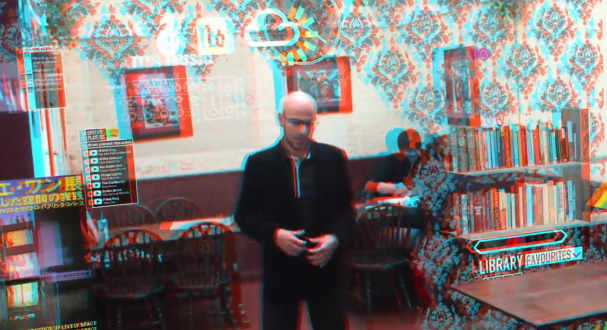
For a mind-blowing vision of what this future may look like, check out this video called “Augmented City.”

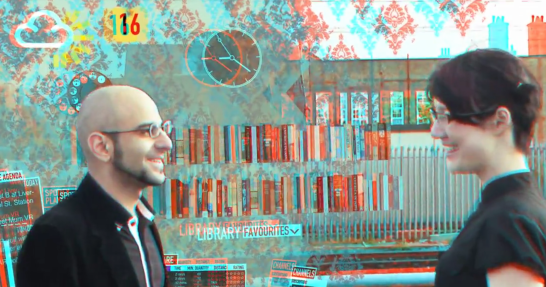
This brilliant video was created by Keiichi Matsuda, a designer and filmmaker who studies the implications of emerging technologies on human perception and the physical environment.  Notice how the guy in the video can shape his environment, combining virtual architecture with the physical world around him.  I love the use of the yellow hashmark lines as a visual cue for “don’t try to walk here!”  A very clever way to safely indicate borders between physical spaces and the virtual.

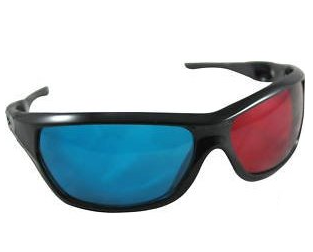
If you’re wondering why the video looks a little funny, that’s because it was filmed to be viewed in 3d using red/blue anaglyph glasses.  You can pick up a nice pair of them for about 5 bucks on Amazon.

Now, imagine someday being able to go to Amazon and buy a similarly cheap pair of “augmented reality glasses.”  We’re probably about 20 years away from that day, but it will happen.  The first handheld cellphone cost $3,995.  Today, you can get one that fits in your pocket for $7.

Many of us (myself included) are working on the development of virtual worlds, both the underlying technology as well as figuring out innovative ways to use them.  I think the trick for all of us working with virtual worlds right now is to not only focus on building out the technology, but to also carefully think through how they might be integrated into our daily lives.  We still have many lessons to learn on how we can best use them to improve the world and augment our ability to deeply connect with other people.

The lessons we learn today will shape tomorrow.  So we must dream wisely.

What have you learned in your work with virtual worlds?  What are your dreams of the future?