Customized Reality: Creating Local and Networked Events in Jibe and Unity3d

We all share a common physical reality.   A leaf gently falling from a tree, a chilling breeze, a startled rabbit running across a field.  We experience these things in the physical world and know that others experience them the same way at the same moments in space and time.

But what if you could change that?  What if you could customize reality so that different people perceive things happening in the world differently?

We don’t have this ability the physical world.  But it can be done in virtual worlds.

Continue reading

Live Tutorials on the Web for Jibe and Unity3d

I like to write tutorials to help people learn how to do things with Jibe and Unity3d, and you can find them all on my blog.  But sometimes it’s easier to learn by joining a live tutorial.  Doing it live also lets people ask questions during the tutorial.

I  host Live Tutorials using a web-based screen-sharing application called Join.me.  Just go to my Join.me page in your web browser and you can jump right in without having to download any software.  Once you’re in the meeting, you’ll be be added to a Skype conference call so we can communicate using voice.

My Live Tutorials are open to everyone, and each week I’ll be teaching people how to use Jibe and the Unity3d editor to do something new.

More information about my Office Hours and Live Tutorials (including a calendar of scheduled events) can be found here.

And be sure to watch the #ReactionGrid hashtag on Twitter for special announcements!

Want a Personal Tutorial on Unity3d and Jibe?

If you’d like to schedule a time for a personal tutorial to learn more about Unity3d and Jibe, you got it!  Just email me at pathfinder@reactiongrid.com and let me know what day/time works for you.  We can meet using my Join.me page and I can walk you through whatever you’d like to learn.  Beginners welcome!

-John “Pathfinder” Lester

Click me!: How to make an object move and play a sound when you click on it in Jibe and Unity3d

I’ve been playing a lot of Portal 2 lately, and one of my favorite elements from the Portal series is the lovely Weighted Companion Cube.

Today we’ll explore how to create a Companion Cube in Jibe and Unity3d that will spin and speak to you when you click on it.

Continue reading

How to add/edit/find articles about Jibe and Unity3d on the ReactionGrid wiki

At ReactionGrid, we have a Community Virtual World Wiki that anyone can use to find information or add their own content.

In a recent discussion on our Jibe-Unity3d Google Group, some folks were interested in organizing and sharing information they’ve learned on how to get started with Jibe and Unity3d.

Our Google Group is the best place to have ongoing discussions and share ideas about Jibe, but the right tool for the job of organizing content is definitely our Wiki.

So here’s a crash course on how to use it!

Continue reading

Making the Most of Meeting in the Physical World: Evocative Artifacts

MIT’s Technology Review recently published an article on how CardCloud Spells the End of Physical Business Cards.

As someone who spends most of their professional life immersed in the online world, I tend to agree that physical business cards are not an ideal tool for information exchange in the physical world.

But I have a slightly different idea about why I feel that’s the case.

Continue reading

How to create a “flying camera tour” in Jibe and Unity3d

Here at ReactionGrid, we love it when people ask us questions about Jibe (our multiuser virtual world platform based on Unity3d).  Jibe is a rapidly evolving platform, and the most innovative ideas for both using and improving Jibe always come directly from our users.  Which is why we encourage everyone to submit questions and new feature ideas via the ticket system on our support portal.

Today I saw a ticket from a new Jibe user asking if it was possible to create a flying camera tour in their Jibe world. They wanted people to be able to click something and have their avatar’s camera fly around on a predefined tour path through their Jibe world.

We include in our Jibe platform a Presentation Screen System that lets people automatically set their camera view when they sit down to watch a slideshow or video presentation.  And with a few tweaks, you can use the scripts from this system to easily create a flying camera tour experience.

Here’s how to do it.

Continue reading

The Riddle of the Sphinx: Using Google Warehouse models in Jibe and Unity3d

Google Warehouse is a fantastic resource for free 3d models.  And it’s especially fun to hunt for models of beautiful historical landmarks that you can pull into your own multiuser virtual world.

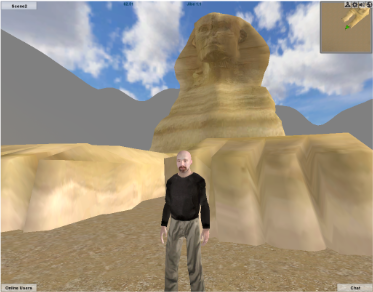
Today we’re going to bring a model of the Great Sphinx of Giza from Google Warehouse into a multiuser Jibe world using Unity3d.  And we’ll script the Sphinx so it asks a riddle when any avatar walks up to it.

Continue reading

Interactivity in Virtual Worlds: Using Triggers in Jibe and Unity3d

The physical world around us is responsive to our presence.

The same experience can be recreated in virtual worlds.

You just have to learn a few new tricks.

Those of us designing virtual worlds want to make them as engaging and interesting as possible.  There are many different ways to accomplish this goal.  You can start by creating a visually interesting space.  Make it beautiful to look at.  Fill it with things that move and look alive.  Encourage exploration by rewarding people with fun things to discover.  And never forget the power of sounds.

All of these methods will help you design a virtual space that is engaging to visitors.  But at some point you’ll realize that you want to build a world that is responsive to the people who are exploring it.

Looking and listening is fun.  Interactivity is even better.

Continue reading

Jibe 1.1: Test our new camera controls at my chicken testing facility.

Jibe 1.1 is now being rolled out!  Here’s more info on what’s new.

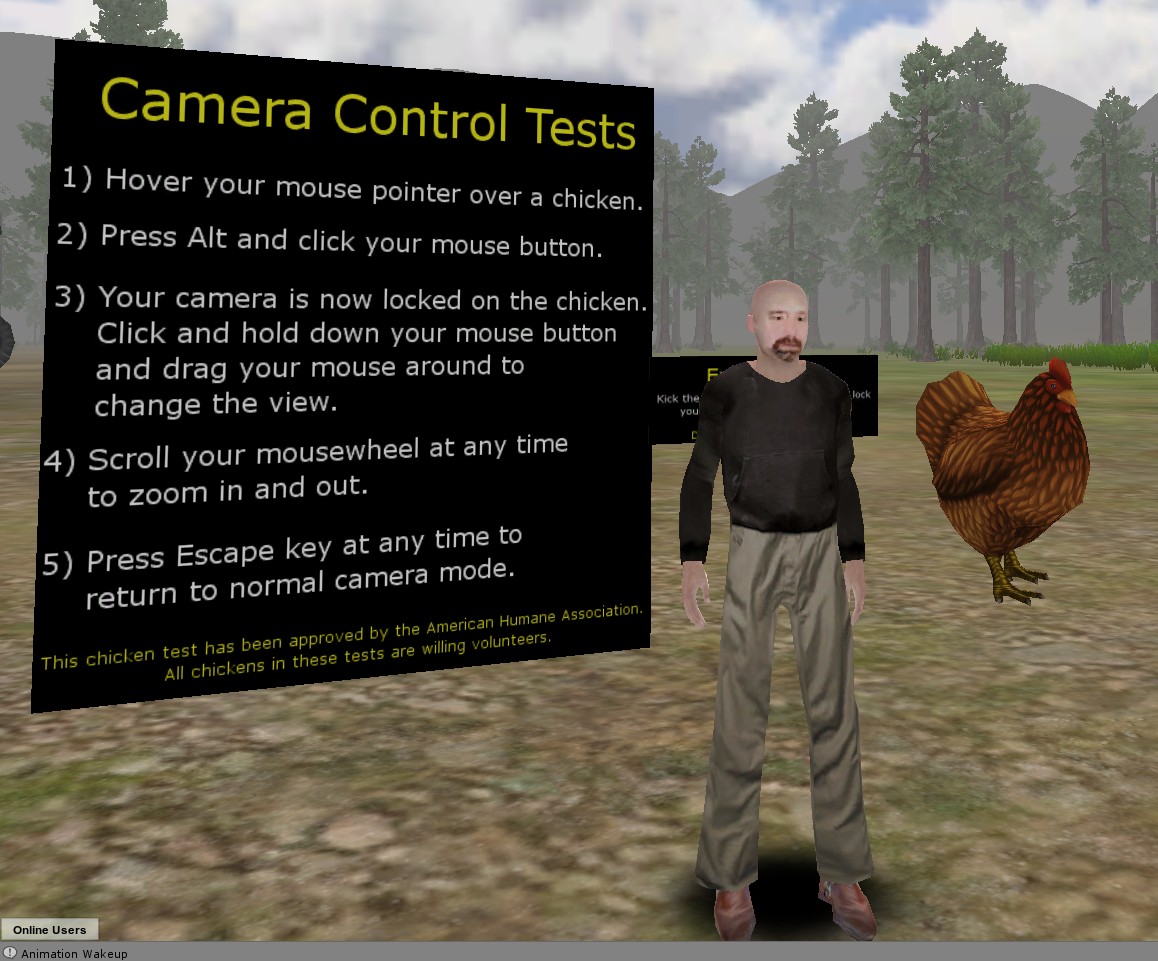
We’re very excited about the update.  In addition to some other new features and lots of bugfixes, we’ve expanded how the camera works in Jibe.

To try out our new camera controls, just visit my Jibe world and look for the big sign and big chickens set up near the default landing area.

No chickens are being harmed in this test. I swear.

The chickens are all making chickeny sounds, and you’ll be able to hear them more clearly as you zoom your camera in on them (your “ears” are attached to your camera).

Please send us a ticket if you have any feedback or notice any bugs.  And for more info about camera controls, be sure to read this page on our wiki.

Thanks, and have fun!

-John “Pathfinder” Lester

Collaborating using web-based tools with Jibe: Animations and iTween

I recently wrote about some of the affordances of having a multiuser virtual world displayed in a webpage.  To illustrate this, here’s an example:
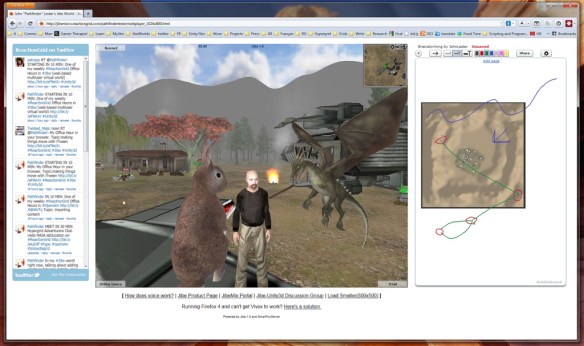
Left to Right: Twitter + Jibe + Dabbleboard

A multiuser Jibe world can be embedded in any webpage.  So what you see in the above screenshot is a webpage that has a Twitter widget on the left, my Jibe world in the middle, and a shared Dabbleboard on the right.  If you’re wondering how I did this, you can simply visit my Jibe page and take a peek at the HTML source.  Pretty simple stuff.

I’ve just started learning how to use a great tool called iTween.  It’s a powerful and easy to use animation system for Unity created by Bob Berkebile, and you can pick it up for free in the Unity Asset Store.  I’ve also been using another free Unity tool called the iTween Visual Editor, created by David Koontz.

These tools allow you to animate and move anything in the Unity editor, which can then be uploaded into a multiuser Jibe world. You create waypoints in the virtual environment and can see lines connecting each waypoint so you can easily visualize the exact path that an object will move along.

I’m a total newbie at all of this, so I love meeting people to discuss ideas and brainstorm.  Recently, I was in my Jibe world and wanted to show someone else my ideas for different pathways I was planning to lay out for my flying dragons.  We walked around my Jibe world together, checking out what I had already set up while talking on voice.

Then I had an idea.  I pulled up an aerial screenshot of my Jibe world’s terrain.  Dropped it into the Dabbleboard.  Drew some lines on it to show my plans for some new pathways.  The person I was meeting with then added some lines and waypoints of their own to the Dabbleboard to illustrate their own ideas.  You can see some of the results in the above screenshot.

Bingo.  Collaboration.

It was a great experience for me to be able to walk and talk with someone while we explored my Jibe world and simultaneously sketched out new ideas.  Really simple, and really powerful.  And a fun way to learn, too.

If you know of any other web-based tools that might integrate nicely on a webpage with Jibe, please let me know in the blog comments or join our conversations in our Jibe-Unity3d Google Group.  Thanks for sharing your ideas!

-John “Pathfinder” Lester