Flying Avatars and Space Shuttle Orbiter in Jibe

Jibe 1.3 has been released by ReactionGrid!


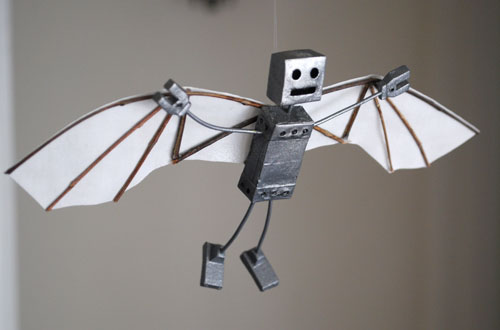
In addition to a bunch of bugfixes and new features, we’ve now added the ability for avatars to fly.

To celebrate, I imported a model of the Space Shuttle Orbiter and placed it in the sky of my own Jibe world.  To visit it, just fly up!  And to learn how I set it up, read on…

Continue reading

Summary of ReactionGrid’s ISTE SIGVE presentation in Jibe

ISTE SIGVE (International Society for Technology in Education – Special Interest Group for Virtual Environments) is a group of educators, administrators, and educational technologists who are interested in the development of 3D Virtual Environment platforms for connection and collaboration.

They hold online meetings each month, and on May 17th they invited me to speak to their group about Jibe and Virtual Worlds on the Web.

Continue reading

Jibe demo at GAMBIT Lab at MIT – Friday May 20 @4pm Eastern

GAMBIT is a collaboration between the Massachusetts Institute of Technology and the government of Singapore, created to explore new directions for the development of games as a medium. The lab focuses on the creation of video game prototypes to demonstrate their research as a complement to traditional academic publishing.

Tomorrow (Friday) at 4pm Eastern, Chris Hart (ReactionGrid CTO) and I will be at the GAMBIT lab at MIT to talk about Jibe!

More details can be found on the GAMBIT blog.

There will be a live video stream of the presentation, so you can also tune in to watch.

UPDATE 5/24/11: Here’s a recording of our presentation.

-John “Pathfinder” Lester

Customized Reality: Creating Local and Networked Events in Jibe and Unity3d

We all share a common physical reality.   A leaf gently falling from a tree, a chilling breeze, a startled rabbit running across a field.  We experience these things in the physical world and know that others experience them the same way at the same moments in space and time.

But what if you could change that?  What if you could customize reality so that different people perceive things happening in the world differently?

We don’t have this ability the physical world.  But it can be done in virtual worlds.

Continue reading

Click me!: How to make an object move and play a sound when you click on it in Jibe and Unity3d

I’ve been playing a lot of Portal 2 lately, and one of my favorite elements from the Portal series is the lovely Weighted Companion Cube.

Today we’ll explore how to create a Companion Cube in Jibe and Unity3d that will spin and speak to you when you click on it.

Continue reading

Railing Against the Gods: The Unfortunate Metaphor of Virtual World Administrators

Metaphors are powerful tools.

Our minds instinctively grasp for metaphors as a way to more easily understand and classify novel situations.

But some metaphors are more deeply resonant than we may initially suspect.

Which can sometimes lead to unexpected and rather unfortunate consequences in the broader cultural context of online community development.

Continue reading

Anniversary Celebration of the 1939 New York World’s Fair in ReactionGrid

On April 30th 1939 (that’s 72 years ago!), over 200 thousand people gathered across an acre of land that only a couple years earlier was an ash dump.  Thanks to four years of hard work and planning, those people were able to get a glimpse of the future.

They were attending the opening of the 1939 New York World’s Fair.

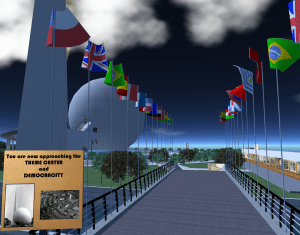
Paul M. Van Dort has organized a celebration of the Opening of the World’s Fair in ReactionGrid.  This is the first time an event commemorating the Fair’s opening in a virtual world has ever been done.  While only a few of the pavilions have been constructed so far, this is an opportunity to see the Fair and to actually walk around and explore it.  Walk through the Trylon and Perisphere, view Democracity, and travel down the Helicline. Visit the New York City Building, the Belgium Pavilion, and Westinghouse Electric.

And keep in mind that what you’re seeing is a vision of the future from 72 years ago.  It’s pretty mindblowing to remember that fact.

Continue reading

How to add/edit/find articles about Jibe and Unity3d on the ReactionGrid wiki

At ReactionGrid, we have a Community Virtual World Wiki that anyone can use to find information or add their own content.

In a recent discussion on our Jibe-Unity3d Google Group, some folks were interested in organizing and sharing information they’ve learned on how to get started with Jibe and Unity3d.

Our Google Group is the best place to have ongoing discussions and share ideas about Jibe, but the right tool for the job of organizing content is definitely our Wiki.

So here’s a crash course on how to use it!

Continue reading

Making the Most of Meeting in the Physical World: Evocative Artifacts

MIT’s Technology Review recently published an article on how CardCloud Spells the End of Physical Business Cards.

As someone who spends most of their professional life immersed in the online world, I tend to agree that physical business cards are not an ideal tool for information exchange in the physical world.

But I have a slightly different idea about why I feel that’s the case.

Continue reading

How to create a “flying camera tour” in Jibe and Unity3d

Here at ReactionGrid, we love it when people ask us questions about Jibe (our multiuser virtual world platform based on Unity3d).  Jibe is a rapidly evolving platform, and the most innovative ideas for both using and improving Jibe always come directly from our users.  Which is why we encourage everyone to submit questions and new feature ideas via the ticket system on our support portal.

Today I saw a ticket from a new Jibe user asking if it was possible to create a flying camera tour in their Jibe world. They wanted people to be able to click something and have their avatar’s camera fly around on a predefined tour path through their Jibe world.

We include in our Jibe platform a Presentation Screen System that lets people automatically set their camera view when they sit down to watch a slideshow or video presentation.  And with a few tweaks, you can use the scripts from this system to easily create a flying camera tour experience.

Here’s how to do it.

Continue reading