Unknown's avatar

About John "Pathfinder" Lester

Cypherpunk Capitalist | Crypto | InfoSec | NFT Communities | Metaverse | Culture | Fashion | Art | Identity

How to embed and play a video on an object in Unity3d and Jibe

step 06 play movie

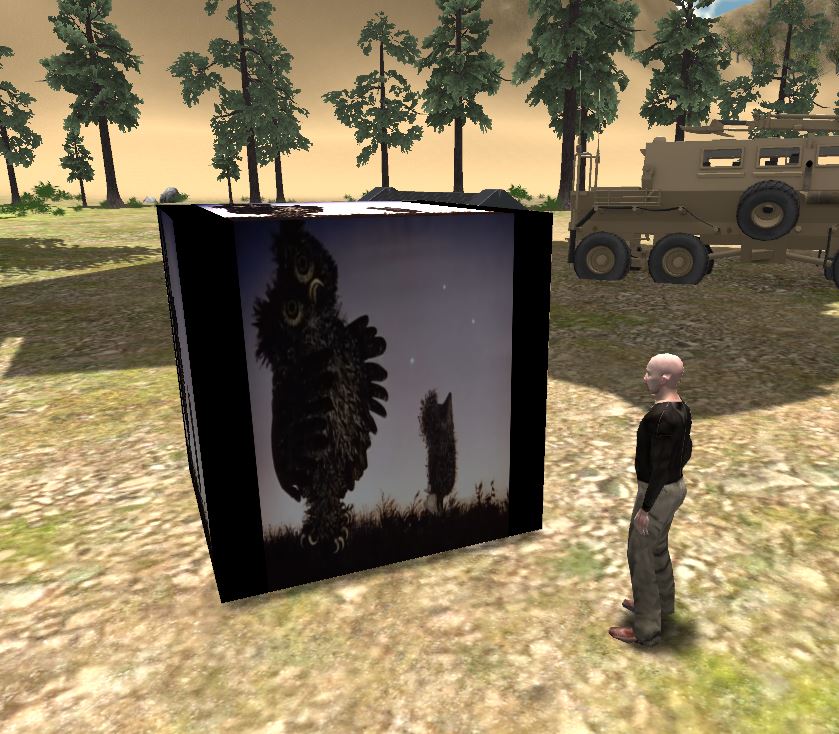
Watching “Hedgehog in the Fog” in my Jibe world.

Note: You’ll need the Unity Pro editor if you want to work with Movie Textures in Unity3d.

Unity3d allows you to embed and play videos on any surface in a 3d environment.

This means you can easily create a web-based Jibe world where avatars explore a multiuser 3d virtual space while watching videos or movies playing on screens/signs/any surface you wish.

The most common way to add video to a Unity3d project is by adding a video file to your project’s Asset Folder, which automatically creates a Movie Texture (details here).

However, adding a video file directly to your project means the size of the video file will be added to the final size of your completed Unity webplayer file.  In other words, if your video clip is 50 Megabytes large, then your Unity webplayer file will have an extra 50 Megabytes added on to it.

For folks creating Jibe worlds with Unity3d (or anyone creating Unity webplayer files for streaming on the Web) this is not good.  You always want your webplayer file to be as small as possible so your webplayer file will finish downloading and start running as quickly as possible.

Fortunately, there’s a way you can download/stream a movie from the Web so it doesn’t add to the size of your Unity webplayer file.  Unity will immediately start playing the movie as soon as it has buffered enough of it, similar to how YouTube works.

Here’s a simple example:

Step 1: Get your video ready as an OGG file on the Web

If you have a video on YouTube that you want to use, you’ll have to download it.  I suggest using Flash Video Downloader.

Unity needs videos to be in OGG format (file extension .ogg).  If you need to convert an existing video file into OGG format, I suggest using VLC (it’s free and cross platform).  Take your OGG video, put it on a webserver somewhere and remember the URL.

Important Note: If you’re managing your own webserver, be sure it has the MIME type for Ogg Vorbis enabled.  For Extension use .ogg, and for MIME type use application/ogg.

Here’s a sample 60 Megabyte OGG video I made and uploaded to WordPress.  Feel free to use this URL in your own tests.  You can also click on it to see how it plays in your browser.
https://becunningandfulloftricks.com/wp-content/uploads/2013/04/hedgehog_in_the_fog.ogg

Step 2: Create a Cube

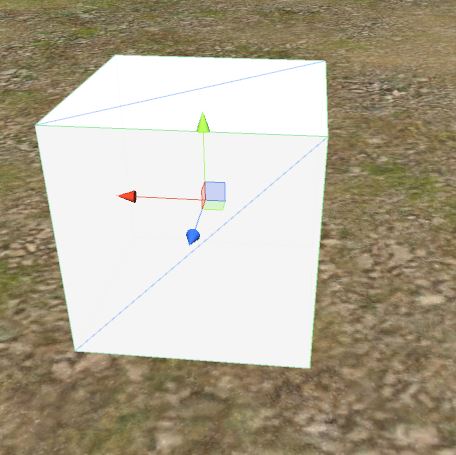
In this example, we’re going to make a basic cube and have the video play on its surface.  Of course you could flatten the cube so it looks likes a screen and then place it on a model of a TV or something.  I’m just being lazy.
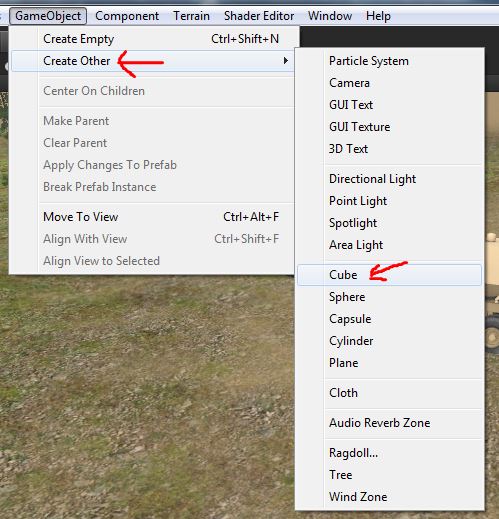
step 01 creating a cubestep 02 creating a cube

Step 3: Create a new Javascript

I like the name of a script to remind me what the script actually does, so I’m going to call this new script ClicktoPlayWebMovie.
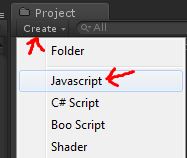
step 03 create a new javascript script

Here’s the code.  Copy and paste this into your new script and save it.

var url = "https://becunningandfulloftricks.com/wp-content/uploads/2013/04/hedgehog_in_the_fog.ogg";
function OnMouseDown () {
 // Start download
 var www = new WWW(url);
// Make sure the movie is ready to start before we start playing
 var movieTexture = www.movie;
 while (!movieTexture.isReadyToPlay)
 yield;
// Initialize texture to be 1:1 resolution
 renderer.material.mainTexture = movieTexture;
// Assign clip to audio source
 // Sync playback with audio
 audio.clip = movieTexture.audioClip;
// Play both movie & sound
 movieTexture.Play();
 audio.Play();
}
// Make sure we have audio source
@script RequireComponent (AudioSource)
function Update () {
}

You can see at the top of the script that I’ve included my demo URL as the default movie URL.  You can always change it later.

Step 4: Add ClicktoPlayWebMovie script to your cube

Drag the ClicktoPlayWebMovie script from your Project folder onto the Cube in your Scene view.  This will add the script to the cube.

step 04 drag javascript to cube

Now select your Cube in the Scene view and look at the Inspector settings.  You can change the movie URL by simply editing the URL field in the Inspector.

Also notice that there is an Audio Source added to the Cube.  This was added automatically when you added the script to the Cube, since the script needs an Audio Source component to work.  Don’t delete or modify the Audio Source component.  Just leave it be.
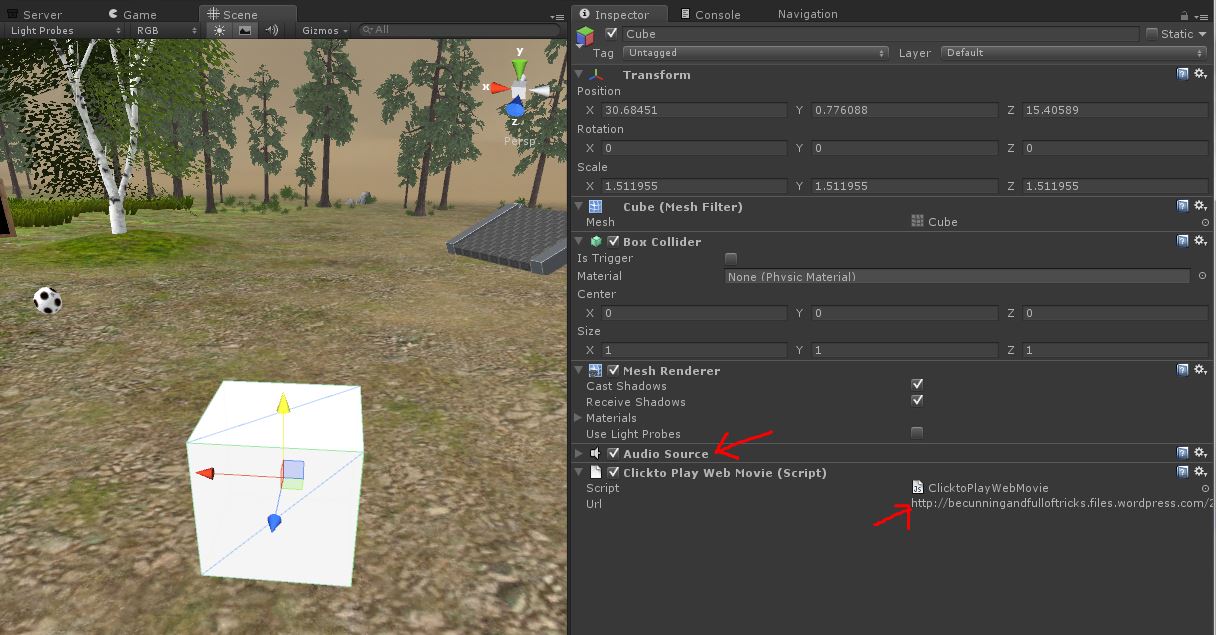
step 05 script in cube - check audio component and movie url

Step 5: You’re done.  Test it out!

You can run your Jibe world locally in the Unity editor and test it out that way.  Walk up to the cube and click on it.  The movie will start playing on all surfaces of  the cube.

step 06 play movie

You can also view an online version of this demo in my own Jibe world.

Enjoy!

-John “Pathfinder” Lester
Chief Learning Officer, ReactionGrid Inc.
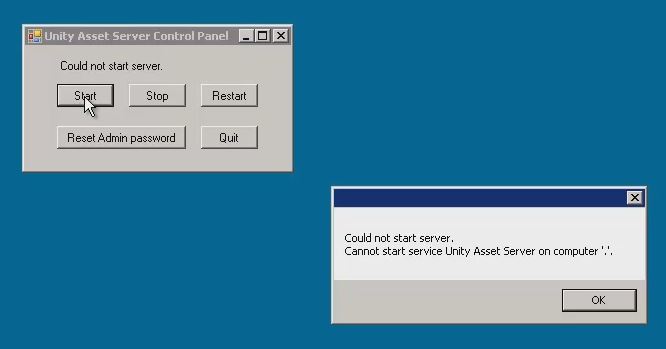
How to Fix the Unity Asset Server error “Cannot Start Service” on Windows

The Unity Asset Server is a fantastic tool for version control and collaborating with a group of people on a project in Unity3D.  Our customers at ReactionGrid Inc. primarily use Windows servers, and some of them are running their own Unity Asset Servers to facilitate working together on Jibe projects.
I recently learned of a bug that might affect folks running their own Unity Asset Server on Windows.  Fortunately it’s not serious at all (just annoying as heck), and the fix is incredibly easy and permanent.

Are you running the Unity Asset Server on a Windows machine?

Has it suddenly stopped working, refusing to start no matter what you do?

Do you immediately see the following popup error when using the Unity Asset Server Control Panel?

Unity asset server error popup

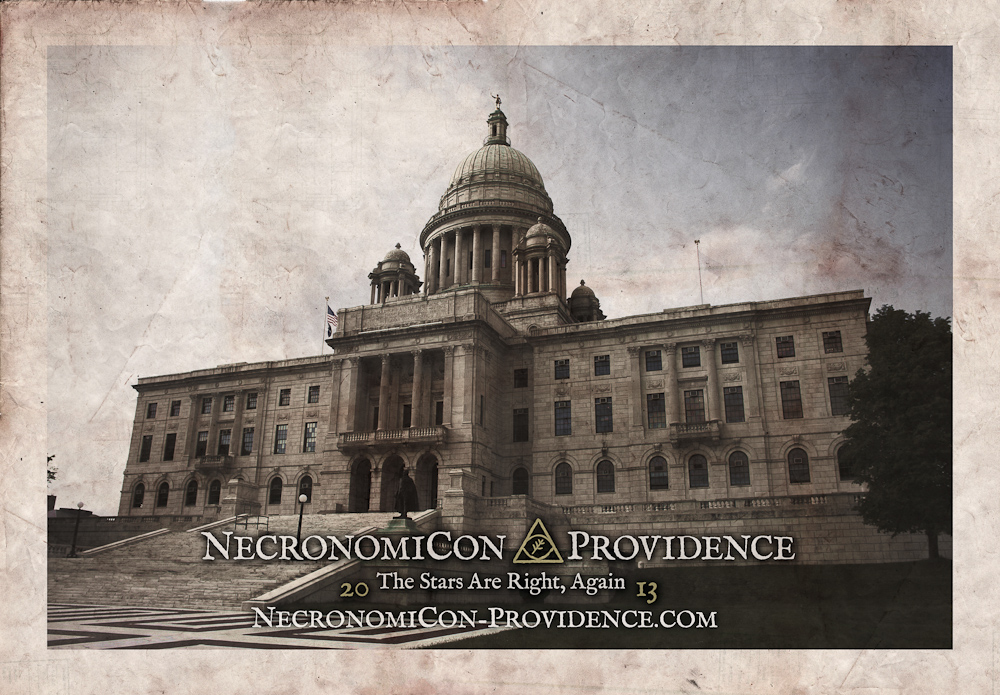
Attention H.P. Lovecraft fans: “NecronomiCon Providence” August 23rd -25th, 2013

necronomicon-providence-capital-building-riTo say that I am excited about this upcoming conference would be a gross understatement.

Check out their website for details.  And if you’d like to help the organizers bootstrap even more cool events for the conference (as well as receive some most excellent rewards for yourself), check out their Kickstarter campaign.

Here’s a summary:

NecronomiCon Providence is a many-faceted convention exploring the works of Howard Phillips Lovecraft and fellow writers of Weird Tales, past and present.
Our theme is The Rational and the Supernatural – an exploration of the intersection of science and art that lays at the foundation of the “Cthulhu Mythos” genre.
We seek to pay proper homage to The Old Gentleman of Providence and his literary offspring, including numerous activities to highlight the town HPL loved and called home – PROVIDENCE, Rhode Island.

Subjects to be explored over a three-day event:

  • Literature – Horror, Sci-Fi, Mythology, Weird Tales of all sorts…
  • Science and Exploration – Astronomy, Archaeology, Biology…
  • History – Primordial, Pre-Colombian, Colonial, 1920s…
  • Culture – Art, Cinema, Theater, Music, Poetry, Food, Bars, Tattoos…
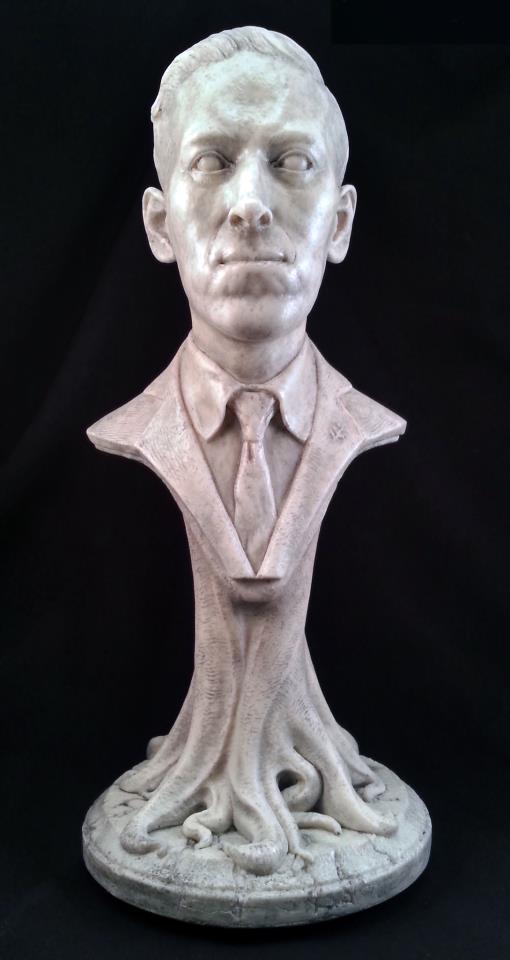
One of the Kickstarter rewards, a bust of H.P. Lovecraft.

One of the Kickstarter rewards, a bust of H.P. Lovecraft.

Like a call from the great depths of the oceans, or a discordant whistle from the dark reaches of the universe, I have heard the siren song of this most auspicious event.

I shall be in attendance.  Will you?

– John “Pathfinder” Lester

Gargoyles, Grotesques & Chimeras: Listening to The Anatomy of Melancholy

47212941_1eee003946_o

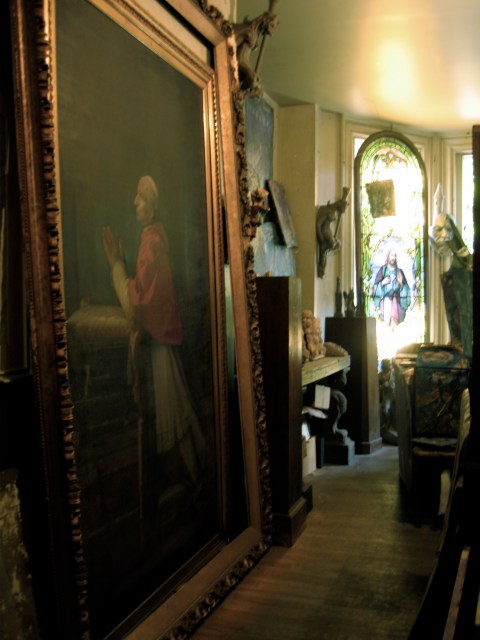
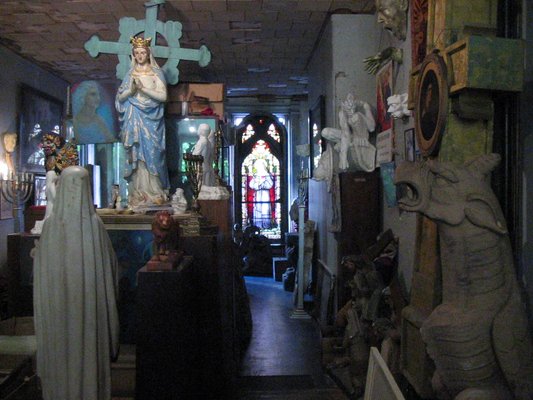
Inside “Gargoyles Grotesques & Chimeras”

Back in the late 1980’s when I was in school in Boston, I frequently visited a place on Newbury Street called “Gargoyles Grotesques & Chimeras.”

Part store and part museum, it was a mysterious space full of beautiful artwork, crumbling masonry and religious relics.

Dry leaves that crunched underfoot were always scattered across the floor.

And always in the background, a recording of a haunting piano melody played over and over. No beginning and no end.  It was composed and performed by the owner of the store, Louis Gordon.  Read on to get a free copy of the song.

All of the items were for sale, but nothing had a price tag.   If you inquired about purchasing an item, Lou would ask “What is it worth to you?”  He also loved to talk with visitors about the history and background of all the artwork.

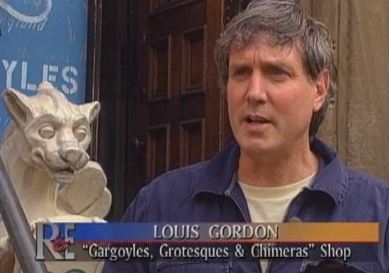
Louis Gordon, the owner of "Gargoyles Grotesques & Chimeras"

Lou, the owner of “Gargoyles Grotesques & Chimeras,” in a PBS documentary about gargoyles back in 1999. Click to watch the video.

While passing through Boston on my way to visit my family this holiday season, memories of this special place suddenly floated up in my mind.  Sadly, I learned the store closed in 2008.

Inside the store "Gargoyles Grotesques & Chimeras"

Inside the store “Gargoyles Grotesques & Chimeras”

I found many wonderful reviews from other people who had also been deeply touched by this meditative place.  It’s amazing to me how many people loved it.

Inside "Gargoyles Grotesques & Chimeras"

Inside “Gargoyles Grotesques & Chimeras”

One of the artists featured in the store was Duncan Chrystal, who’s current work can be found online.  I bought a couple of his pieces for myself and my family over the years.

Art by Duncan Chrystal inside the store.

Art by Duncan Chrystal inside the store

When I returned home to Montreal, I dimly remembered buying a CD recording of that special piano music from Lou many years ago.  I also remembered making an mp3 from the CD the same day I bought it so that I would never lose it (my physical CDs have a tendency to break or disappear).

After some digging through my digital archives, I finally found the file last night.  It’s a real relic from the past, with a file creation date of October 16, 2001.  It is hard for me to believe it has been over a decade since I bought it.

Gargoyles Grotesques & Chimeras is now only a memory and, sadly, I cannot find any current contact information for Lou .  Since I can’t find his piano song available for purchase anywhere, and since I also know many people like myself would love to hear it again, I think Lou would be happy for me to share it freely.

Listen to “The Anatomy of Melancholy – No Beginning and No End” :

Download mp3 (right-click the link below and select Save Link):
“The Anatomy of Melancholy – No Beginning and No End”

Lou, wherever you are, thank you for creating a sacred space and inviting so many of us to share it for so many years.  You used to say “Only those who are meant to come in, come in.”  Please know that all of us who did will never forget.

No beginning. No end.

The 262 Newbury Street entrance for “Gargoyles Grotesques & Chimeras”

-John “Pathfinder” Lester

P.S. (edited 2/3/2013) Here are some of my own favorite pieces that I acquired from the store.  If you have any pictures of your own treasured items from Gargoyles, please share them in the comments if you wish.

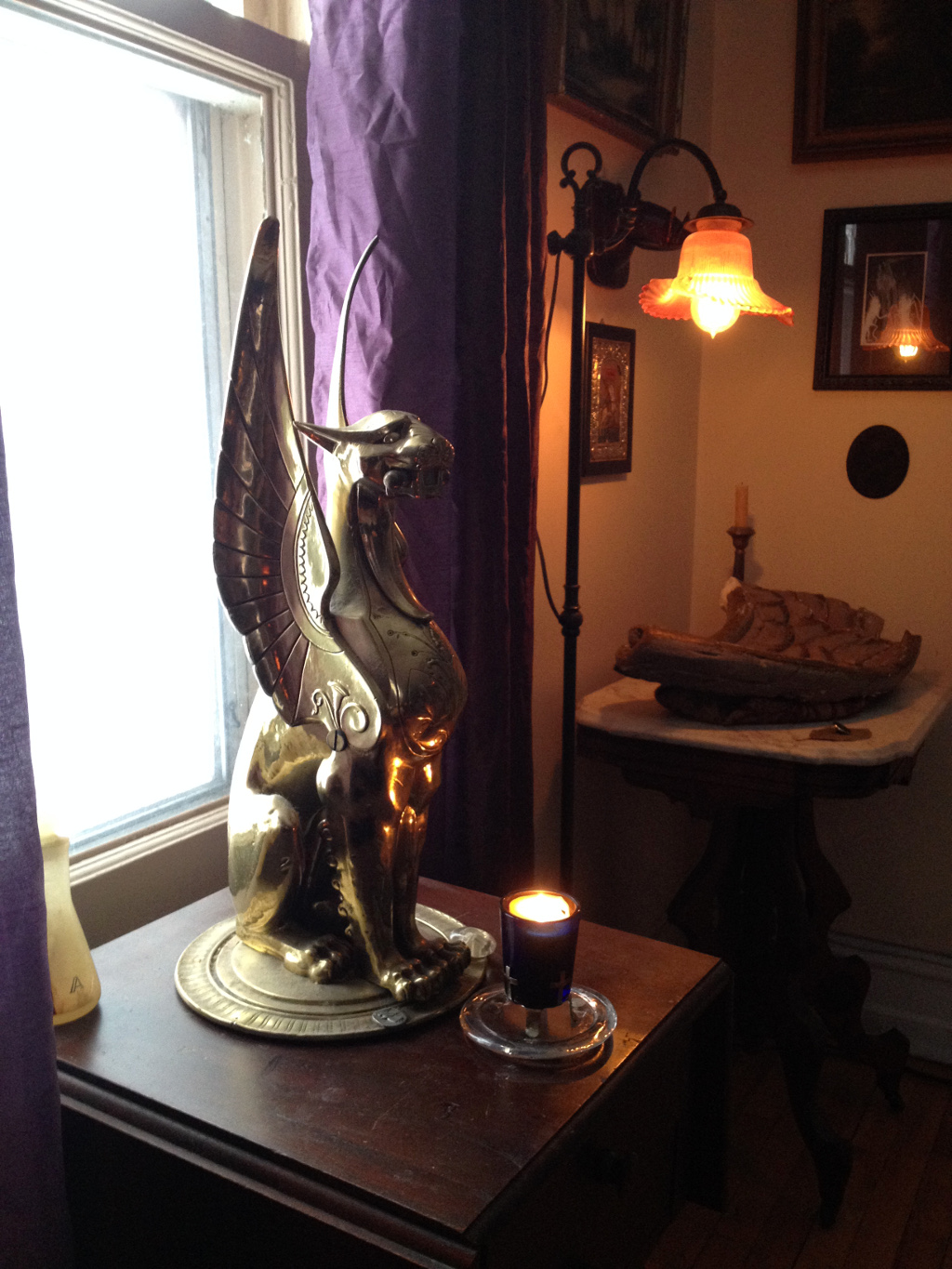
This winged lion used to sit on a column inside the store next to one of the front windows.

This brass winged lion used to sit on a column inside the store next to one of the front windows.

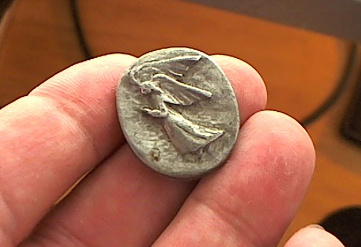
I used to have many of these pewter angel coins.  This is the last one.

I used to have many of these pewter angel coins. This last one is tarnished and treasured.

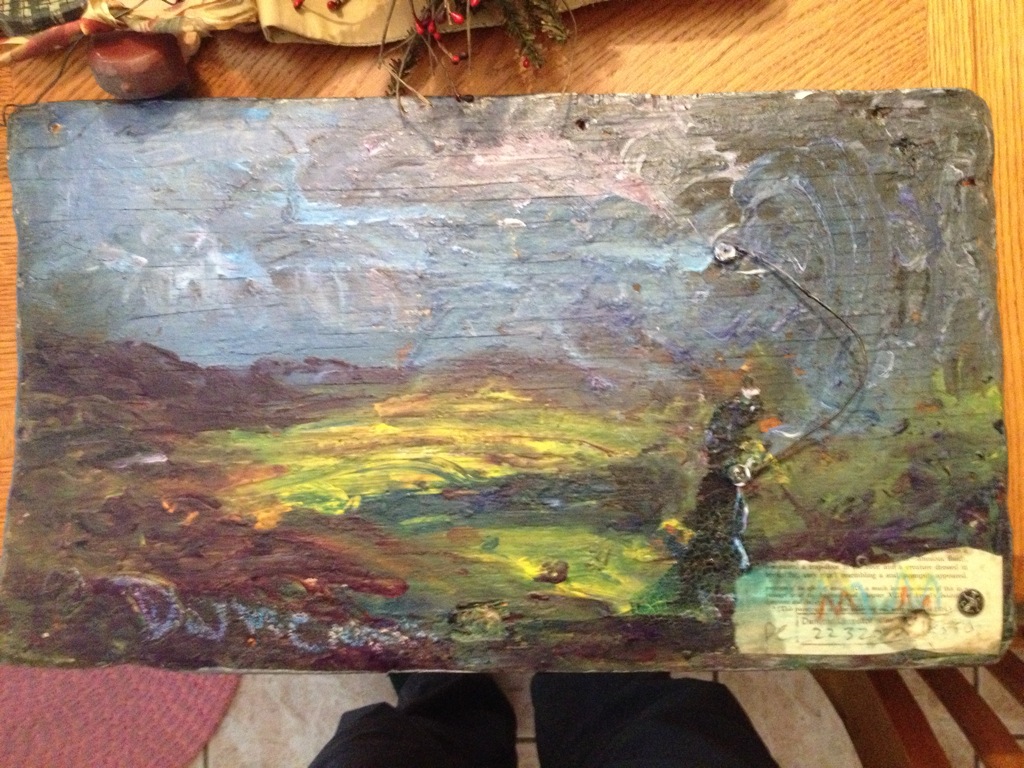
One of Duncan's paintings that I bought for my mom many years ago.

One of Duncan’s paintings that I bought for my mom many years ago.

My mom was thrilled when she discovered the hidden painting on the back.

My mom was thrilled when she discovered the hidden painting on the back.

P.P.S. (edited 5/2 2014)

I was listening to this today and noticed there was no cover art displayed my WinAmp player, so I made a very simple one.  It makes me happier now to see the store while listening to the music. Please feel free to download and use it if you wish.

grotesqves cover

Cover Art for The Anatomy of Melancholy

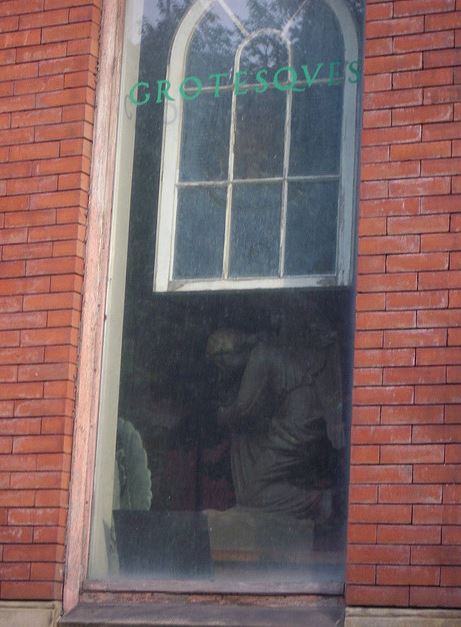
I used the same unique spelling and color of the word “Grotesqves” as it was painted on the window of the store (see pic below).  Here’s the free font I used: Chanticleer Roman

gargoyle store window

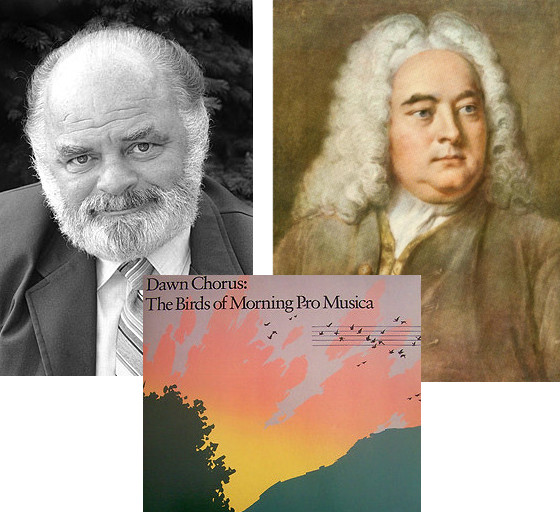
The beautiful Dawn Chorus intro to WGBH’s “Morning Pro Musica” classical music radio show

I grew up in New England in the 80’s, and my first exposure to classical music was listening to WGBH on the radio.  My favorite classical music show was Robert J. Lurtsema’s Morning Pro Musica.

Listening to Morning Pro Musica as a kid was what first kindled my deep love of classical music, and my clock radio was always set to go off at the exact start of the show.  It began with the sounds of birds for about 5 minutes, then a slow crossfade into a specific piece of classical music.  I remember there was different music for each day of the week, but the piece I loved the most was Handel’s “Arrival of the Queen of Sheba.”

For years, I happily woke to the sounds of birds and Handel.  And last night as I was fiddling with my alarm app on my tablet, I suddenly remembered those sounds and longed to wake up to them again.

I searched online but couldn’t find any digital copy of the show’s intro.  Happily, I found a recording of the exact bird sounds that Robert J. used for his show (from the LP “Dawn Chorus: The Birds of Morning Pro Musica”).  From there it was easy enough to take one of those tracks and crossfade it into Handel.

Enjoy!

Download: morning pro musica intro birds and music (mp3)

Robert J. Lurtsema passed away years ago, but I will never forget how he inspired me each morning and opened my eyes to a new world of music.  Thank you, Robert J.

-John “Pathfinder” Lester

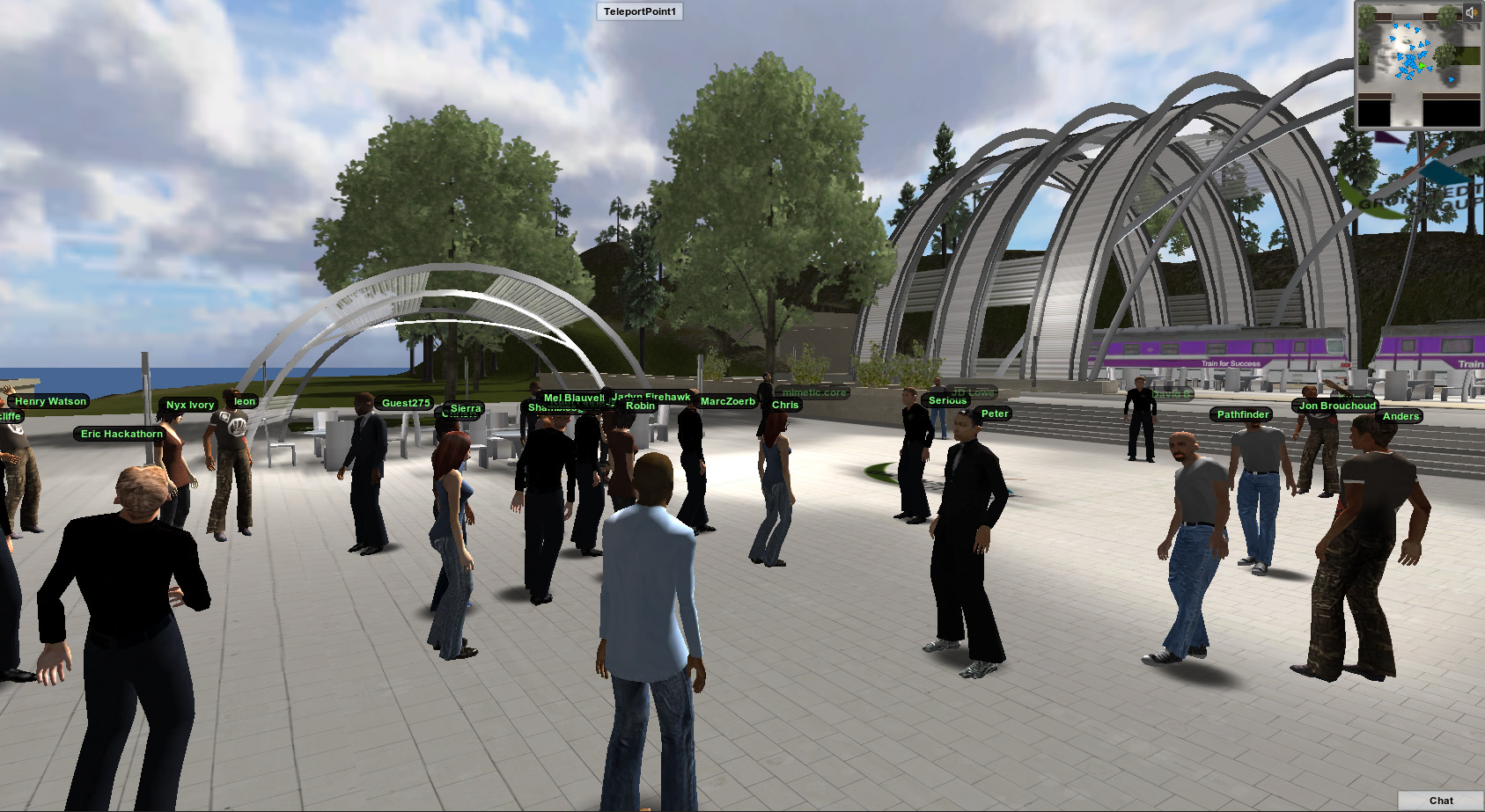
Speaking at “Train for Success” Panel on the Future of Virtual Worlds – Nov 8 @ noon Eastern

The Gronstedt Group hosts a weekly “Train for Success” speaking series, and this week I’ll be participating in a panel discussion on the State and Future of Virtual Worlds.

The panel will be held in Second Life and starts on Thursday November 8 at noon Eastern. You can also watch and ask questions via the live stream on the web.

For more details, please see Facebook. Here’s a summary:

“The landscape of virtual worlds is changing. Social and game mechanics make virtual worlds more engaging. Browser-based virtual worlds make them more accessible to a wider audience. The panel will discuss the state and future of virtual worlds. Join this conversation about the emerging platforms and applications of virtual worlds in learning and business.”

Hope to see you there, and special thanks to Anders Gronstedt for inviting me to participate.

-John “Pathfinder” Lester

“Safety Not Guaranteed” – If you were a Time Traveler, what Watch would you Wear?

I recently watched the movie “Safety Not Guaranteed” and really enjoyed it.  It’s about time travel and believing in your dreams.

But one thing I kept wondering about was the wristwatch Kenneth was wearing.  I mean, if you’re a time traveler, then the type of timepiece you wear is a fairly significant decision, right?  Heck, they even feature him looking at his watch on the movie poster.

After looking closely at some frames I found from the movie, I figured it out.  He’s definitely wearing a Casio Men’s F105W-1A Illuminator Digital Watch.

A man solves the riddle of time travel and then decides to wear a $15 1980’s-style Casio watch as his critical timepiece.  I love it.

What would you wear?

-John

A peaceful retreat: New waterfall area in my Jibe world

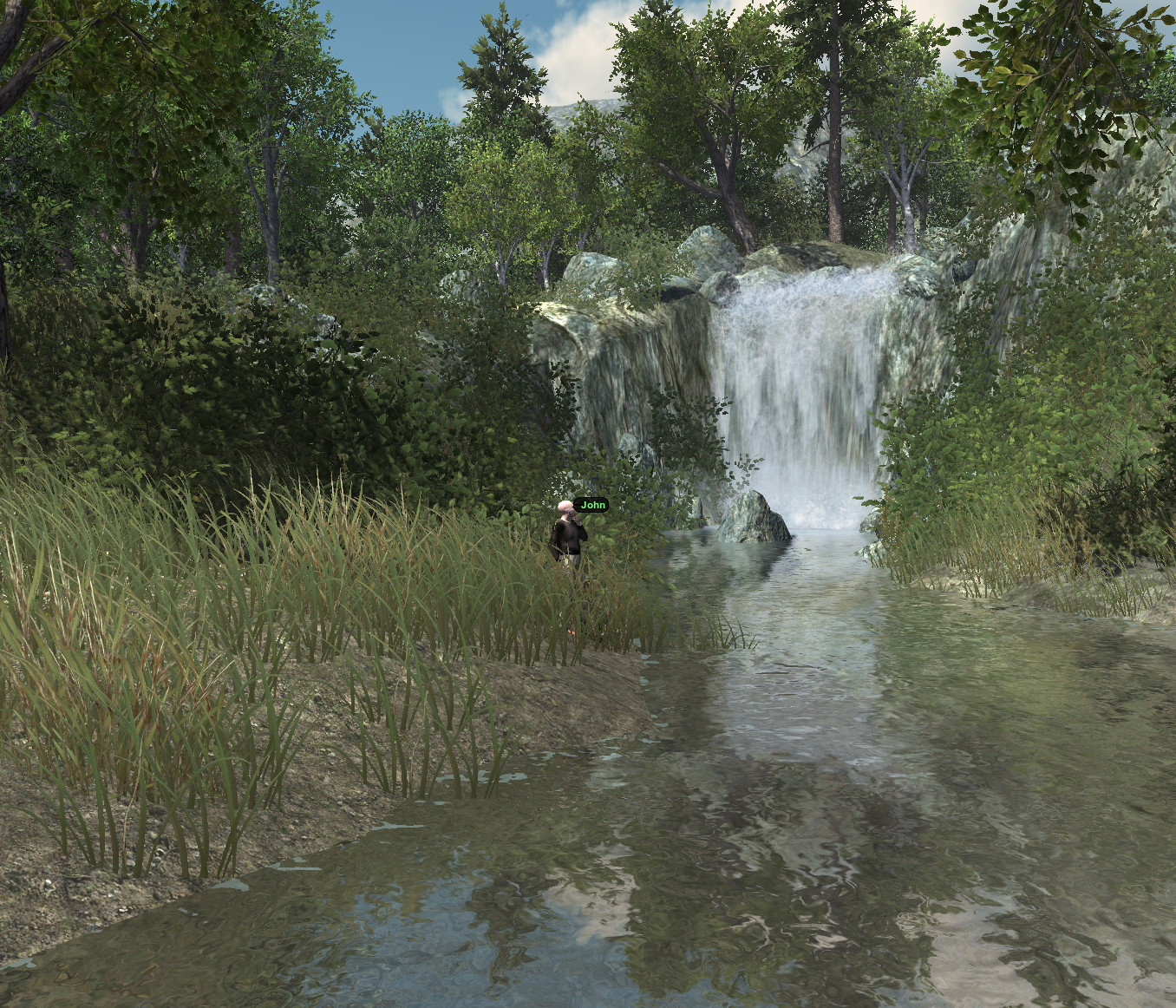
I spent some time today putting together a new waterfall area in my Jibe world.

It’s full of ambient sounds and dynamic shadows.  A very peaceful place.

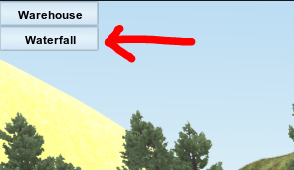
You can visit it by going to my Jibe world and clicking on the “Waterfall” button in the upper left corner of the screen.

It may take a few seconds for the button to appear once you arrive in the default landing area.  That’s because the Waterfall area is pretty large and needs to download a bit before you can jump into it.  Just be patient. 😉

For more pics, see this nice set of photos taken by Key Gruin.  Thanks for visiting, Key!

Take care,
-John Lester

Online Presentation at Agile Worlds 2012

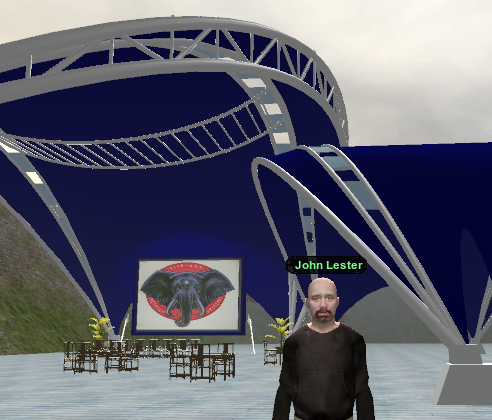
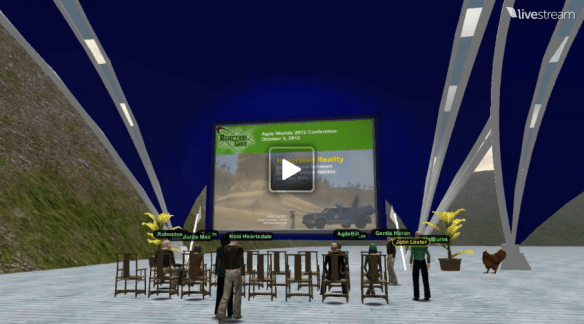
I’ll be giving a presentation today (Wednesday October 3rd) at 8pm Eastern as part of the Agile Worlds 2012 Online Conference.

My topic will be “Integrated Reality and Next Generation Virtual Worlds.” Here’s detailed info on my session.

Please feel free to visit my Agile Worlds Jibe space at 8pm if you’d like to attend.  Hope to see you there!

UPDATE 10/4/12:  Here’s a video recording of the event.

And here are my online slides.

UPDATE 10/4/12:  Just read a review of a new game that’s a perfect example of balancing Familiar with Fascinating (a key theme in my presentation).

-John “Pathfinder” Lester
Chief Learning Officer
ReactionGrid, Inc

Building Immersion through Simple Design: Visit a Meteor Shower in Jibe

Anyone can create an exciting immersive experience in a 3d virtual world platform like Jibe.

It doesn’t have to be complicated.

And it doesn’t require loads of money and development time.

The trick is to follow a few simple design rules.

Continue reading